 Cursor · MCP server
Post to social media from Cursor.From the file you're writing.
Add Breakreach to ~/.cursor/mcp.json and sign in, and Cursor's agent can turn the blog post, changelog or landing copy open in the editor into posts on Instagram, LinkedIn, X, TikTok and 8 more networks, scheduled in your next free slot. It also answers comments and DMs and reads your numbers, with 29 tools.
Then click Connect next to breakreach in Cursor Settings, Tools & MCP. Or add it in one click:
Add to CursorChecked against Cursor's docs on October 7, 2026. Breakreach is our product.
1---2title: Meet Morning Light3date: 2026-10-074cover: /blog/morning-light.jpg5---67Morning Light is our autumn8blend: honey, orange and9cocoa, light enough for a10pour-over, dark enough for11a flat white.1213Out tomorrow in 250 g and141 kg bags.
upload_mediacreate_post northbeam.coffee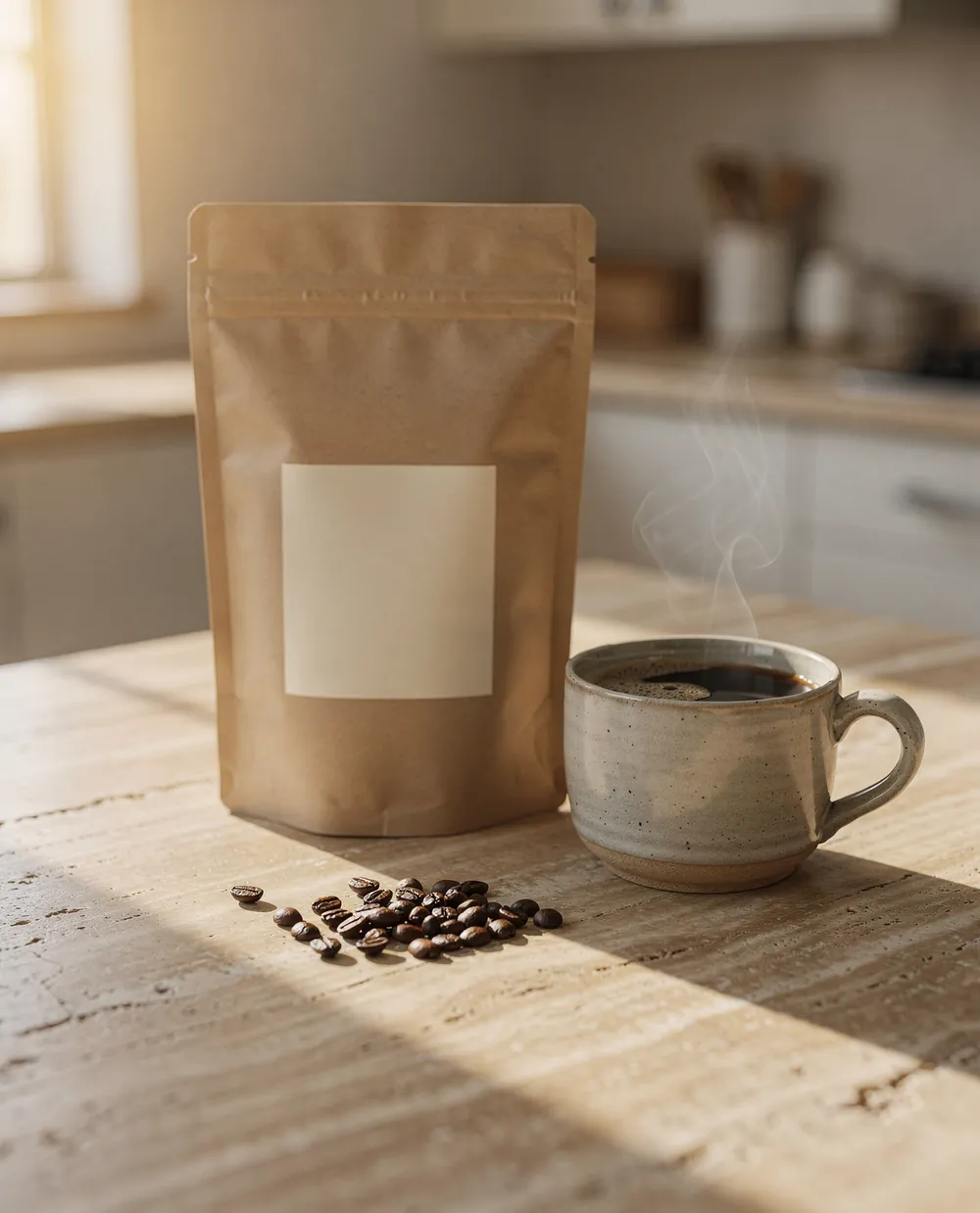
northbeam.coffee Meet Morning Light, our autumn blend. Honey, orange and cocoa, out tomorrow on northbeam.coffee.
Add Breakreach to CursorSign in with OAuth, or pass an API key.
Sign in with OAuth
RecommendedNothing to copy but the address. Cursor registers itself with Breakreach, opens your browser to sign in, and keeps the token fresh.
- 1Add the server to mcp.json
~/.cursor/mcp.jsonmakes it available in every project..cursor/mcp.jsonat the root of a repo limits it to that project, and is safe to commit: there's no key in it, and each person signs in with their own account. The Add to Cursor button above writes the same entry for you. - 2Sign in
Open Cursor Settings, Tools & MCP. breakreach shows Needs authentication: click Connect, allow access in the browser tab that opens, and let the browser open Cursor again. Access tokens last 30 days and refresh on their own.
- 3Connect your social accounts
Connect Instagram, TikTok, LinkedIn and the rest once in Breakreach (Settings, Accounts). Or ask the agent for a link:
create_connect_linkreturns a page where you, or a client, connect accounts without a Breakreach login.
Use an API key
For a machine where nobody can click through a browser sign-in. Cursor sends the key in a header.
- 1Create an API key
In Breakreach, open Settings, API & MCP and create a key. It starts with
br_and reaches every workspace you're a member of. Keep it out of files you commit. - 2Put the key in your environment
Add
export BREAKREACH_API_KEY=br_…to your shell profile. Cursor reads it through${env:BREAKREACH_API_KEY}. On macOS, Cursor opened from the Dock may not see variables from your shell profile: open it from a terminal withcursor ., or write the key into the global file directly (never into a project file you commit). - 3Add the server with the header
In
~/.cursor/mcp.json, or in a project's.cursor/mcp.json, which stays safe to commit as written since the key stays in each person's environment.
Check it works. Once it's connected, Cursor Settings, Tools & MCP lists breakreach with its 29 tools. Ask the agent “which Breakreach accounts do I have?” to try it.
What to ask CursorRequests that work today, and the tools they call.
- Turn this blog post into a launch post for Instagram, LinkedIn and X with the hero image, in my next free slotupload_media, create_post
- Post this to Instagram, TikTok and LinkedIn tomorrow at 9 AM: https://cdn.northbeam.coffee/reel/brew.mp4, with a caption about the pour-overcreate_post
- Schedule every post in content/social/october.md at the date and time written next to itcreate_post
- Reply to the questions in my latest comments, and show me the replies before sendinglist_recent_comments, reply_to_comment
- How did last week's posts do compared with the week before?get_content_performance
What Cursor can do with BreakreachThe same tools in every client.
Publish
create_postPublish now, schedule, take the next free slot or save a draft, on one or many accountsupdate_postEdit, reschedule, approve a draft or retry a failed postdelete_postUnschedule and remove a post from Breakreachlist_postsPosts with status, time and numbersupload_mediaCopy a public image or video URL to Breakreach storageget_next_slotThe next free slot of the posting schedulelist_pinterest_boardsBoards a pin can go to
Accounts
list_workspacesWorkspaces, one per brand or clientcreate_workspaceA new workspace for a new brand or clientlist_accountsConnected accounts, with a warning before one expirescreate_connect_linkA link where you or a client connect accounts, no Breakreach login neededget_account_statsFollowers and 28-day numbers per accountget_account_trendsDay by day reach and views
Analytics
get_content_performanceEvery post's numbers over N days, sorted the way you askget_post_insightsEverything about one post, against the account averageget_post_metricsOne Breakreach post's views, likes, comments and sharesget_analyticsTotals and top posts made with Breakreach
Comments and DMs
list_recent_commentsNew comments across Instagram, Facebook, Threads and Xget_post_commentsThe comments on one postreply_to_commentAnswer as the accounthide_commentHide or unhide (Instagram, Facebook, Threads)delete_commentDelete for good (Instagram, Facebook)list_conversationsDMs on Instagram, Facebook Messenger and Xget_conversation_messagesRead one conversationsend_messageReply to a DM as the account
Comment to DM
list_comment_dm_rulesInstagram keyword rules, their stats and latest DMscreate_comment_dm_ruleDM everyone who comments a keyword on a post or reelupdate_comment_dm_ruleNew keywords or message, or pause the ruledelete_comment_dm_ruleRemove a rule and its activity
Why post from Cursor?The words are already open in the editor.
Marketing sites, docs and blogs live in repos now: MDX posts, a changelog, the landing page's copy in a component. When you finish writing one in Cursor, the post that announces it is a summary of the file in front of you. The agent reads it, writes a version per network, and schedules it, so the announcement goes out with the facts of the page and not a paraphrase from memory.
- A new post, announced“Turn this post into a launch post for Instagram, LinkedIn and X.” The frontmatter's image goes with it.
- A content calendar in a fileKeep
content/social/october.mdwith a date, a network and a text per line, and ask the agent to schedule the whole file. Edits are a diff you can review. - Screenshots of what you shippedOnce the release is deployed, its screenshots have public URLs: “post the three screenshots from the release as an Instagram carousel”.
- Comments without leaving the editor“Any questions in today's comments?” between two commits.
Will Cursor post without asking?
Cursor's agent asks before it runs an MCP tool and shows what it's about to send, unless you've turned on auto-run. Keep auto-run off for this server, or at least for create_post, reply_to_comment and send_message: those act in public under your name.
For posts someone else should check, ask for drafts. “Save these as drafts” sends draft: true, and the posts wait in Breakreach's calendar until a person schedules them.
How do images get from the repo to the post?As public URLs.
The server takes media as URLs it can download, not files from your disk. An image in public/ works once it's deployed; before that, use the CDN or bucket URL. upload_media copies the file to Breakreach's storage, which is what the agent did in the demo above, so a scheduled post doesn't break when the original moves.
Instagram, TikTok, YouTube and Pinterest need a photo or a video. The other eight networks also take text alone. Limits per network are on the posting API page.
What does it cost?
Creating a Breakreach account and connecting your first social account is free. Scheduling and publishing need a plan, from $29 a month ($23 billed yearly) for 5 accounts, or the Developer plan at $5 per connected account. Signed in with OAuth before you subscribe, the reading tools work and the publishing ones answer with a link to the plans. An API key needs an active plan or trial, and answers 402 otherwise. Cursor's own subscription is separate.
Troubleshooting Breakreach in Cursor
- breakreach stays on Needs authenticationClick Connect and approve in the browser tab that opens. When the browser asks to open Cursor, allow it: that's how the sign-in gets back to the editor.
- breakreach shows an error, or 0 toolsCheck the JSON is valid, then reload the window. With an API key, the key usually isn't in Cursor's environment: run
cursor .from a terminal to start it. - 401 Invalid API keyThe key was deleted or mistyped. Create a new one in Settings, API & MCP.
- 402: API access requires an active subscriptionAPI keys need a plan or a trial on the Breakreach account.
- The agent doesn't use the toolsName the service in the request (“with Breakreach, …”) and check the server is enabled in Cursor's MCP settings.
- “Media is required for: instagram”Instagram, TikTok, YouTube and Pinterest need an image or video URL.
The same server in other agents
 Claude CodeOne command, then /mcp to sign in.
 CodexOne command, then sign in.
 OpenClawPost and answer comments from your chat app.
 HermesOne command, OAuth or an API key.
 GrokGrok Build, the xAI API, or Grok Bot.
 ChatGPTThe plugin in ChatGPT.
 ClaudeThe connector in Claude's app.
 Any MCP clientThe URL and both ways to sign in.
Questions, answered.
Short answers about Breakreach in Cursor.
Yes. Add https://api.breakreach.com/mcp to ~/.cursor/mcp.json and click Connect in Cursor's settings to sign in, and Cursor's agent gets 29 tools to post, schedule, answer comments and DMs and read analytics on 15 networks.
No. With only the address in mcp.json, Cursor signs in with OAuth: click Connect in Settings, Tools & MCP and approve in the browser. An API key in an Authorization header works too, for machines without a browser.
Yes. With OAuth it holds only the address, and each person signs in with their own account. With an API key, keep the key out of it: "Bearer ${env:BREAKREACH_API_KEY}" reads it from each person's environment.
Instagram, TikTok, X, LinkedIn, YouTube, Facebook, Threads, Pinterest, Bluesky, Reddit, Telegram, Discord, Slack, Mastodon and WordPress. Instagram, TikTok, YouTube and Pinterest need a photo or video.
Not directly. The server downloads media from public URLs, so use the deployed or CDN URL of the image.
Creating an account and connecting your first social account is free. Scheduling and publishing need a plan, from $29 a month for 5 accounts, or the Developer plan at $5 per connected account.








Give Cursor your social accounts.Set up in two minutes.
Your first account is free to connect. Plans from $29 a month.