
 Connect guide
How to post to Instagram from ChatGPT.Two minutes, no API key.
Add the Breakreach connector in ChatGPT (Settings → Plugins), connect your Instagram account, then just ask. ChatGPT drafts, schedules and publishes Instagram posts from the conversation.
ChatGPT BreakreachScheduling on Instagram
create_post northbeam.coffee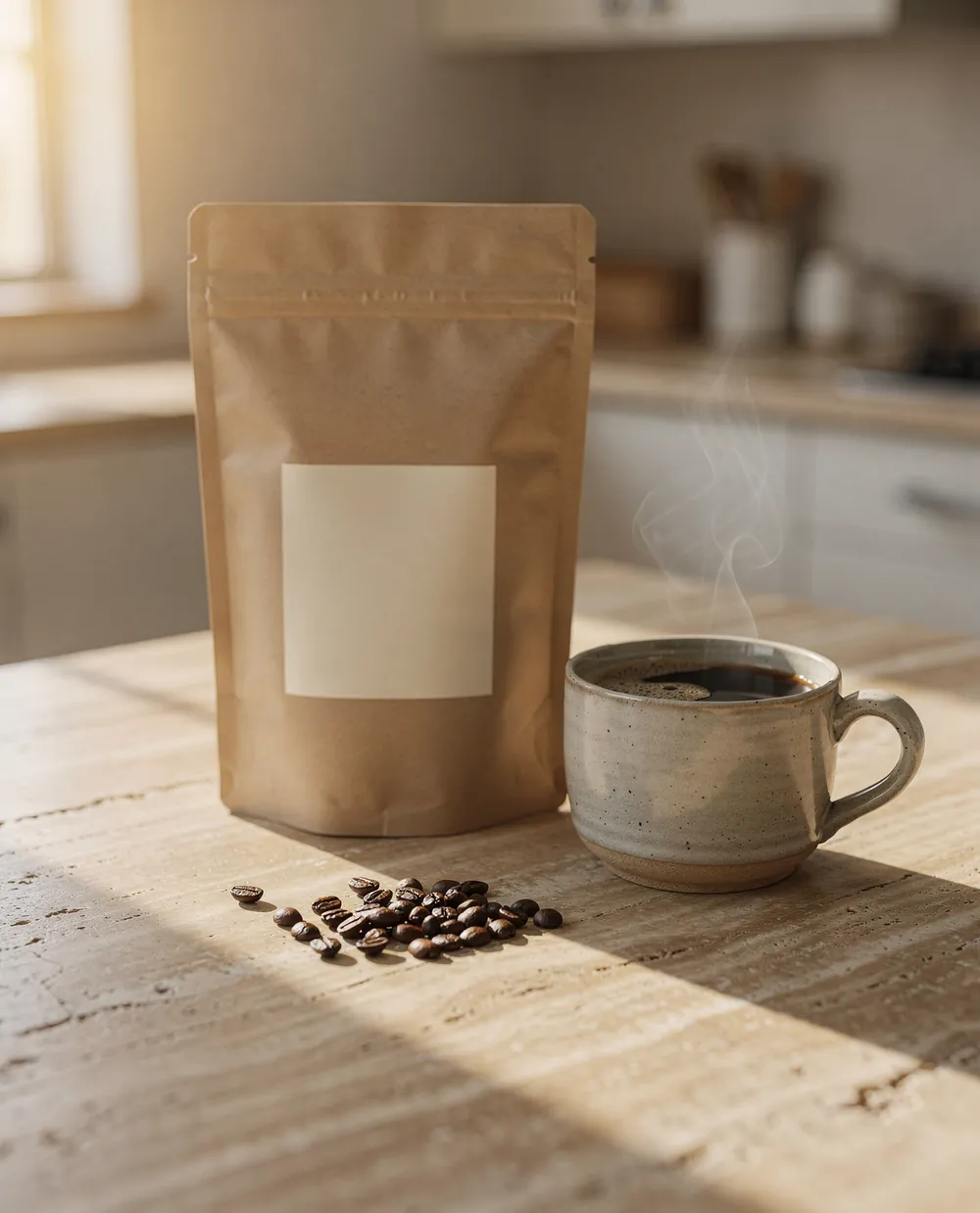
northbeam.coffee Meet Morning Light, our new blend. Honey, orange and cocoa notes, out tomorrow.
Why run Instagram from a conversationChatGPT writes, Breakreach publishes.
Instagram punishes irregular posting, and the app is built for one post at a time, on a phone, in the moment. Driving it from a conversation flips that around: you write a week of captions while you are already thinking about the topic, and the queue drains itself. It also means the caption gets written where your notes, your last posts and your numbers already are.
Nothing runs on your machine. Once a post is scheduled, it publishes from our servers, so ChatGPT can be closed and your laptop can be off.
Set it up in two minutes.6 steps, once.
- ChatGPT· Settings › PluginsPluginsSearch
 ConnectBreakreachSchedule and publish to 20 social networks
Plugins let ChatGPT use outside tools for you. You can disconnect them at any time.
ChatGPT· Settings › PluginsPlugins let ChatGPT use outside tools for you. You can disconnect them at any time.
What you can post to InstagramAnd how to ask for each.
- Photo postOne image with a caption, published to your feed. Breakreach converts it to a JPEG Instagram accepts. Instagram's API only takes 4:5 to 1.91:1, so a taller photo, like a 3:4 phone shot or a screenshot, is cropped to 4:5 from the centre, and a wider one to 1.91:1.Post this photo to Instagram with a short caption about Morning Light
- ReelA video on its own goes out as a Reel, which also shows on your profile grid.Post this video as a Reel tomorrow at noon
- Carousel2 to 10 photos and videos in one post, in the order you give them. Every slide takes the first photo's shape, so the other photos are cropped to it from the centre. Instagram's API stops at 10 slides; the app takes 20.Post these four cake photos as one carousel tonight at 6 PM
- StoryOne photo or one video as a 24-hour Story. Stories don't carry a caption, so any text is left out.Share the latte photo as an Instagram Story
Let ChatGPT write the Instagram postThen say what to change.
Give the assistant the photo and a few words on what the post is for, and ask for two or three versions. Only the first lines show before more, so ask for the hook up front, then trim until it sounds like you. The caption is published exactly as it reads in the chat, hashtags included.
Write three captions for this photo, under 150 characters, no emoji
Make the second one warmer and add five hashtags
Post these 4 photos to Instagram as one carousel with a caption about our new collection
Schedule 5 Instagram posts for next week, one per weekday at 6pm
What were my best-performing Instagram posts this month?
Schedule it instead of posting nowOr let it take the next free slot.
Name a time and the post is scheduled in your workspace's time zone. Or skip the time: use my next free slot puts it in the first open slot of your posting schedule, which is weekdays at 11 AM and 4 PM until you change it in Breakreach. Scheduled Instagram posts go out from Breakreach's servers, so the conversation, the app and your laptop can all be closed.
Schedule this for Thursday at 6 PM
Put these three posts in my next free slots
Save it as a draft, I'll check it in the calendar
After it's publishedStats, edits and deletions.
How it did
Instagram returns more than any other network: views, likes, comments and shares for each post, deeper insights for Reels and Stories, and 28-day reach, views and profile views for the account. Ask how did yesterday's Reel do? or what were my best posts this month? and the numbers come back in the chat. You can also read, answer, hide or delete comments, and reply to direct messages within Instagram's 24-hour window.
Edit or delete it
Until it goes out, you can change anything from the conversation: move it to Friday, change the caption, turn it back into a draft. A failed post can be fixed and rescheduled the same way. Once it's published, the connector can't edit or delete it on Instagram, and deleting it in Breakreach only takes it off the calendar, so edit or remove a published post in the Instagram app.
What Instagram requiresAnd the limits to know.
- Your Instagram account must be a professional account (Creator or Business): you can switch in the Instagram app under Settings → Account type, it's free.
- Instagram posts require at least one image or video.
- One image is published as a feed post, one video as a Reel, and 2 to 10 files as a carousel.
| Spec | |
|---|---|
| Caption length | Up to 2,200 characters, and the first two lines are all most people read. |
| Media | At least one image or video. One image publishes as a feed post, one video as a Reel, and 2 to 10 files as a carousel. |
| Account type | Creator or Business. Personal accounts cannot publish through any API. |
| Hashtags | Up to 30, though Instagram's own guidance now points at three to five. |
What it can't do yet
- First comments and Reel cover images.
- Personal accounts: Meta only lets Creator and Business accounts publish through its API.
Three things people do with it
- Turn a product photo into a caption and schedule it for the evening slot without opening the app
- Plan a full week of posts in one conversation, then review the calendar before anything goes out
- Ask which of last month's posts reached the most people, and write three more like them
A safe routine for a teamDrafts first, then the calendar.
- Ask for drafts, not postsSay save it as a draft and nothing is scheduled. Drafts land in the Breakreach calendar, where the team can read them, and schedule the draft for Thursday at 9 AM turns one into a post.
- Review in the calendarEvery Instagram post, from ChatGPT, the API or the app, sits on the same calendar with its time, account and media. Open one to edit it or move it.
- Name the brandWith several workspaces, the connector uses your first one unless you name another, so say which brand the post is for.
- Approve each postSet ChatGPT to ask before it acts (details below), so nothing is published without someone clicking allow.
- Know when something failsA post that hits a temporary error is retried up to three times over 30 minutes. If it still fails, it's marked failed in the calendar with a notification, and you can fix and reschedule it from the chat.
- Revoke access anytimeDisconnect the connector in ChatGPT and the assistant can't post any more. Posts already scheduled stay in the calendar until you cancel them.
Using the connector in ChatGPTPlans, confirmations, phones.
- Which plans have itPlugins from the ChatGPT directory are available across ChatGPT plans, and OpenAI notes that access depends on your plan, workspace, role and region. On Business workspaces apps are on by default and admins can turn them off. On Enterprise and Edu, new plugins stay off until an admin enables them.
- Confirmations before postingChatGPT can show an approval card naming Breakreach and the action before it runs, with options such as Deny, Allow once or Always allow. You choose the default in Settings → Plugins → Permissions: always ask, allow reads only, allow low-risk actions (the default), or allow all actions for one app. To approve every post yourself, pick Always ask.
- Web, desktop and phonePlugins work on the web and in the ChatGPT desktop app, and OpenAI's release notes also cover them on mobile and in voice.
- DisconnectingIn Settings → Plugins, select Breakreach, open the menu on the account and choose Disconnect. Posts already scheduled in Breakreach still go out, so cancel them in the calendar if you need to.
Sources, checked September 2026: Plugins in ChatGPT, Managing app permissions, Connected apps, Admin controls.
Other ways to post to Instagram from ChatGPTAnd when they're the better choice.
- Instagram's own schedulerThe Instagram app schedules photos, carousels and Reels up to 30 days ahead, 25 posts a day at most, and Meta Business Suite adds Stories. Better for carousels of more than 10 slides, or when you don't need the assistant to write or read stats. Instagram Help
- Meta's own connectorMeta's official connector for AI assistants covers ads (campaigns, reporting, catalogs), not organic posts. Meta
- Zapier or MakeBoth can publish to an Instagram business account when a trigger fires, such as a new row in a sheet. Better for fixed automations, but you can't ask them for a post in a conversation. Zapier, Make
- Copy and pasteAsk the assistant for the text, then post it yourself in the app. Free and fine for a post or two, but nothing is scheduled and the assistant can't see how it did.
When it doesn't workThe fixes for what people run into.
- The connector says my Instagram account is not eligibleThe account is still personal. Switch it to Creator or Business in the Instagram app under Settings, Account type and tools, then reconnect it in Breakreach. Nothing else changes for your followers.
- My video was published as a Reel, I wanted a feed postInstagram publishes every video through the Reels surface, and it appears on your profile grid as well. There is no API option to force a video into the old feed-only format.
- The post failed with a media errorVideos are the usual cause: Instagram refuses Reels shorter than 3 seconds or longer than 15 minutes, so trim the video and ask again. Photos rarely fail, since Breakreach converts each one to a JPEG and crops anything taller than 4:5 or wider than 1.91:1 from the centre, the only shapes Instagram's API takes.
Questions, answered.
Short answers about posting to Instagram from ChatGPT.
No. Scheduled posts publish from Breakreach's servers at the time you chose, so you can close ChatGPT and your laptop.
Yes. Breakreach publishes through Instagram's official API with an authorization you grant, and you can revoke it at any time. Your password is never shared.
Creating an account and connecting your first social account is free. Scheduling and publishing need a plan, from $29 a month ($23 billed yearly), and you can cancel anytime.
Yes. The same connector handles TikTok, X, Reddit, LinkedIn, YouTube, Facebook and more, and one request can publish to several networks at once.
Yes. Ask ChatGPT to save drafts, then review and edit everything in the Breakreach calendar before it publishes.
With a link. The connector takes media as links it can download, such as a file on your website or a public cloud storage link, and copies the file to Breakreach's storage before posting.
Not on their own. They need a connector that holds an authorization for your account, like Breakreach. Once it's added, the assistant can write, schedule and publish photo posts, Reels and Stories for you.
No. You sign in on Instagram's own page and grant Breakreach an authorization. Neither the assistant nor Breakreach sees your password, and you can revoke access at any time.
Yes. Give it 2 to 10 photos or videos in one request and they go out as one carousel, in that order. Every slide takes the first photo's shape, so crop them alike if the framing matters. A Story still takes one file.
Yes. Connect each account in Breakreach, then name the one you want in the request. Plans include 5 or 15 social accounts, and Agency starts at 50.
Keep reading









Put your socials on autopilot.Live in two minutes.
Plans from $29 a month. Cancel anytime.