
 Connect guide
How to post to Ghost from ChatGPT.Two minutes, no API key.
Add the Breakreach connector in ChatGPT (Settings → Plugins), connect your Ghost site, then just ask. ChatGPT drafts, schedules and publishes Ghost posts from the conversation.
ChatGPT BreakreachScheduling on Ghost
create_post Northbeam Coffee
coffee
How we roast Morning Light
Oct 8 · 1 min read
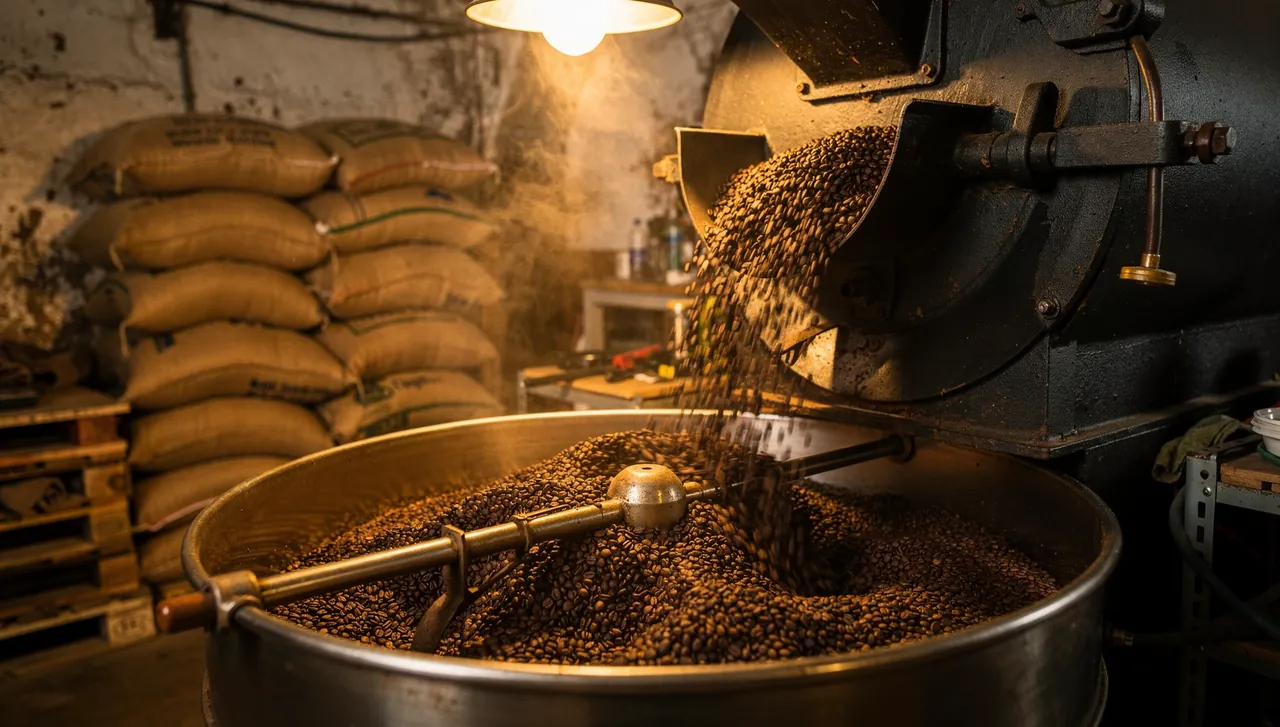
Eleven minutes from green bean to bag. We start low to dry the beans, push through first crack, then stop early to keep the honey and orange notes.
That early stop is why it tastes lighter than our other coffees, and why it works as well in a latte as in a pour-over.
Why run Ghost from a conversationChatGPT writes, Breakreach publishes.
A Ghost post usually does two jobs: it goes up on the site, and it lands in your members' inboxes as the newsletter. Handing the draft to the assistant and saying when it goes out, and to whom, does both in one request, and the same request can share it on LinkedIn and X.
Nothing runs on your machine. Once a post is scheduled, it publishes from our servers, so ChatGPT can be closed and your laptop can be off.
Set it up in two minutes.7 steps, once.
- ChatGPT· Settings › PluginsPluginsSearch
 ConnectBreakreachSchedule and publish to 19 social networks
Plugins let ChatGPT use outside tools for you. You can disconnect them at any time.
ChatGPT· Settings › PluginsPlugins let ChatGPT use outside tools for you. You can disconnect them at any time.
What you can post to GhostAnd how to ask for each.
- Blog postThe first line is the title and the rest is the body. A text that's one block, with no separate first line, gets a title cut from its start and stays whole as the body. Ghost credits the post to the site's Owner, since an integration has no author of its own.Publish these notes as a post on our Ghost site
- Headings, lists and codeLines starting with ## become headings, - and 1. lines become lists, and ``` fences become code blocks, with bold and links kept. Ghost turns them into editor cards you can still edit.Use a heading for each section and a list for the steps
- Feature image, photos and videoThe first photo is uploaded to your site and set as the feature image. Up to 9 more photos follow the text as image cards, and a video is uploaded as a video card.Use the roastery photo as the feature image
- NewsletterAsk for it to be emailed and Breakreach sends it with your default newsletter, or the one you name, to all members, free members or paid members, as it publishes. Without that, the post only goes on the site.Email it to paid members only
Let ChatGPT write the Ghost postThen say what to change.
Give the assistant your notes, the changelog or the transcript, and say who the newsletter is for. Members read it in their inbox as much as on the site, so ask for short paragraphs, a first line that works as a title, since that's what it becomes, and ## headings if it runs long.
Write a 700-word post from these notes, title first, two ## sections
Shorten the intro, most people read this in their inbox
Turn these notes into a post on our Ghost site
Publish this article Friday at 8am and email it to all members
Save this as a draft on Ghost, I'll finish it in the editor
Schedule it instead of posting nowOr let it take the next free slot.
Name a time and the post is scheduled in your workspace's time zone. Or skip the time: use my next free slot puts it in the first open slot of your posting schedule, which is weekdays at 11 AM and 4 PM until you change it in Breakreach. Scheduled Ghost posts go out from Breakreach's servers, so the conversation, the app and your laptop can all be closed.
Publish it Tuesday at 8 AM and email it to all members
Save it as a draft on Ghost, I'll finish it in the editor
After it's publishedStats, edits and deletions.
How it did
Your site's member count comes back with your other accounts' numbers. Ghost doesn't open its web analytics to integrations, and Breakreach doesn't read email opens, so views, opens and clicks per post stay in Ghost Admin.
Edit or delete it
Until it goes out, you can change anything from the conversation: move it to Friday, change the caption, turn it back into a draft. A failed post can be fixed and rescheduled the same way. Once it's published, the connector can't edit or delete it on Ghost, and deleting it in Breakreach only takes it off the calendar, so edit or remove a published post in Ghost Admin, where the post opens in the editor like any other.
What Ghost requiresAnd the limits to know.
- A Ghost site, self-hosted or on Ghost(Pro) Publisher or above. Ghost(Pro) Starter has no Admin API, so it can't connect.
- You add a custom integration in Ghost Admin, which takes an Administrator, and paste its Admin API key in Breakreach.
- The first line of your text becomes the post's title.
- The first photo becomes the feature image; the other photos and a video follow the text.
| Spec | Ghost |
|---|---|
| Title | The first line of your text. A text without a separate first line gets a title cut from its start. |
| Body | Paragraphs, ## headings, lists, **bold**, links and code blocks, which Ghost turns into editor cards you can still edit. |
| Media | Optional. The first photo is the feature image; up to 9 more photos and one video follow the text. |
| Newsletter | Optional. Your default newsletter or another one, sent to all, free or paid members as the post publishes. |
What it can't do yet
- Pages, members-only or paid posts, authors and excerpts: posts go out public, credited to the site's Owner.
- Ghost's own schedule: Breakreach publishes at the time from its servers, so the post doesn't wait in Ghost as Scheduled.
- Ghost(Pro) Starter, which has no Admin API.
- Stats beyond the member count.
Three things people do with it
- Write the weekly post from your notes, publish it Tuesday at 8 AM and send it to every member
- Publish the article on Ghost and its LinkedIn and X versions in one request
- Leave a draft in Ghost Admin for an editor to finish, written from a transcript
A safe routine for a teamDrafts first, then the calendar.
- Ask for drafts, not postsSay save it as a draft and nothing is scheduled. Drafts land in the Breakreach calendar, where the team can read them, and schedule the draft for Thursday at 9 AM turns one into a post.
- Review in the calendarEvery Ghost post, from ChatGPT, the API or the app, sits on the same calendar with its time, account and media. Open one to edit it or move it.
- Name the brandWith several workspaces, the connector uses your first one unless you name another, so say which brand the post is for.
- Approve each postSet ChatGPT to ask before it acts (details below), so nothing is published without someone clicking allow.
- Know when something failsA post that hits a temporary error is retried up to three times over 30 minutes. If it still fails, it's marked failed in the calendar with a notification, and you can fix and reschedule it from the chat.
- Revoke access anytimeDisconnect the connector in ChatGPT and the assistant can't post any more. Posts already scheduled stay in the calendar until you cancel them.
Using the connector in ChatGPTPlans, confirmations, phones.
- Which plans have itPlugins from the ChatGPT directory are available across ChatGPT plans, and OpenAI notes that access depends on your plan, workspace, role and region. On Business workspaces apps are on by default and admins can turn them off. On Enterprise and Edu, new plugins stay off until an admin enables them.
- Confirmations before postingChatGPT can show an approval card naming Breakreach and the action before it runs, with options such as Deny, Allow once or Always allow. You choose the default in Settings → Plugins → Permissions: always ask, allow reads only, allow low-risk actions (the default), or allow all actions for one app. To approve every post yourself, pick Always ask.
- Web, desktop and phonePlugins work on the web and in the ChatGPT desktop app, and OpenAI's release notes also cover them on mobile and in voice.
- DisconnectingIn Settings → Plugins, select Breakreach, open the menu on the account and choose Disconnect. Posts already scheduled in Breakreach still go out, so cancel them in the calendar if you need to.
Sources, checked September 2026: Plugins in ChatGPT, Managing app permissions, Connected apps, Admin controls.
Other ways to post to Ghost from ChatGPTAnd when they're the better choice.
- Ghost's own schedulingIn the editor's publish menu, pick Schedule for later for the post, the newsletter or both, in the timezone set in Settings, General. Better when the post is already written in Ghost Admin. Ghost help
- Ghost's ghst CLIGhost's own command-line tool, in developer beta, publishes, schedules and emails posts, and runs as an MCP server on your machine. Better if you want to manage the whole site from a terminal or a local assistant. GitHub
- Zapier or MakeBoth can create a Ghost post when a trigger fires, such as a new row in a sheet or a new RSS item. Zapier's Create Post has no email option, and on Ghost(Pro) both need the Publisher plan or above. Zapier, Make
- Copy and pasteAsk the assistant for the post, then paste it in Ghost's editor. Free and fine for one post, but the feature image, the newsletter and the timing are yours to set.
When it doesn't workThe fixes for what people run into.
- “That isn't a Ghost Admin API key”The Content API key was pasted, or only part of the key. The Admin API key is 24 characters, a colon, then 64 more: copy it with the button next to Admin API key in the custom integration.
- “No Ghost site found at this address”Breakreach reads your site's details at /ghost/api/admin/site/ on the address you typed. Check it opens in a browser, or paste the API URL shown in the integration instead, which is your admin address (on Ghost(Pro), yoursite.ghost.io).
- “Ghost refused”, with a word about the Publisher planThe site is on Ghost(Pro) Starter, which has no custom integrations or Admin API. Move to Publisher or above in Ghost Admin, then connect again.
- “Published on the Ghost site, but the newsletter wasn't sent”Ghost refused to send the email, and the text after the colon says why: on a self-hosted site, often that Mailgun isn't set up. The post is live on the site. Ghost only emails a post when it first publishes, so to send this one, switch it back to draft in Ghost Admin and publish it there with the email.
- The post failed with “Ghost didn't accept the Admin API key”The custom integration was deleted. Add a new one in Ghost Admin, then connect the site again from Breakreach's Settings with the same address; your scheduled posts stay in place.
Questions, answered.
Short answers about posting to Ghost from ChatGPT.
No. Scheduled posts publish from Breakreach's servers at the time you chose, so you can close ChatGPT and your laptop.
Yes. Breakreach publishes through Ghost's official API with an authorization you grant, and you can revoke it at any time. Your password is never shared.
Creating an account and connecting your first social account is free. Scheduling and publishing need a plan, from $29 a month ($23 billed yearly), and you can cancel anytime.
Yes. The same connector handles Instagram, TikTok, X, Reddit, LinkedIn, YouTube and more, and one request can publish to several networks at once.
Yes. Ask ChatGPT to save drafts, then review and edit everything in the Breakreach calendar before it publishes.
With a link. The connector takes media as links it can download, such as a file on your website or a public cloud storage link, and copies the file to Breakreach's storage before posting.
Yes, with a connector that holds your site's Admin API key, like Breakreach. Once the site is connected, the assistant can write a post, publish or schedule it with a feature image, and send it as your newsletter.
The key belongs to the custom integration you add for Breakreach, not to your user, and Breakreach never sees your password. Breakreach uses it to publish posts, upload their images and read your newsletters and member count. Delete the integration in Settings, Integrations to revoke it at once.
On Publisher and above, yes. Starter doesn't include custom integrations or the Admin API, so it can't connect. Self-hosted Ghost works too, as long as the site is reachable on the internet.
Only when you ask. Without a newsletter, the post goes on the site alone. With one, Ghost emails it as the post publishes, to all, free or paid members; a self-hosted site needs Mailgun set up in Ghost for that.
Keep reading











Put your socials on autopilot.Live in two minutes.
Plans from $29 a month. Cancel anytime.