 Guide · Facebook Messenger
Facebook Messenger auto reply.Meta's built-in replies, then automations.
In Meta Business Suite, open Inbox, then Automations, then Create automation, and pick Instant reply (a greeting for someone's first message) or Away message (on a schedule you set). Both are free. Meta lists automated responses as unavailable for messages to or from Europe and Japan, and they don't branch, so keyword flows, comment to Messenger and an API need a tool on Meta's Messenger Platform.
Updated October 8, 2026 · Checked against Meta Business Help: set up Inbox automations, Meta Business Help: Inbox automations, Meta Business Help: automations on mobile and 8 more sources
How do you set up an instant reply on Facebook Messenger?Inbox, Automations, Instant reply.
On desktop, Meta Business Suite is the shortest way. Facebook's own route (switch into your Page, the Messenger icon, then Automations) opens the same screen.
- 1. Open the automationsMeta Business Suite, Inbox, then Automations, then Create automation at the top right.
- 2. Pick Instant replyUnder “Greet people”. Choose the channel (Messenger, and Instagram if it's connected) and write the message.
- 3. Turn it onSave, then check that its Status is on. Editing works the same way later.
Meta's rules for it: an instant reply is your Page's “first response to new messages”, so a person gets it once. It isn't sent while your Page's messaging status is set to Away, and it doesn't count toward your response rate or response time. Each automatic message ends with “Sent by automated response”.
How do you set an away message on Messenger?It follows a schedule, not a switch.
Create automation, then Away message. Set a Schedule: a time zone, the days, and the start and end times when you're away. Meta's help center is explicit that “The Away message automation doesn't have a switch that you can turn on or off”; it's active only during the hours you scheduled. To stop it for good, set your schedule to always available: 7 days a week, 00:00 to 23:59.
What else can Messenger answer on its own?Templates for the common questions.
| Automation | What it does | Limits Meta documents |
|---|---|---|
| Frequently asked questions | Questions shown when someone opens a chat, each with its answer | Up to 5 questions (4 in the Instagram app) |
| Location, Contact information, Hours | Answers when people ask where, how to reach you or when you're open | Can carry an image, a video or a button |
| Custom keywords | A reply when a message contains your keyword | Up to 5 keywords, case-sensitive, exact match, desktop only; sent after 15 minutes unless you answer first |
| Comment to message | A message to people who comment a keyword on your posts | Desktop only |
| Identify unanswered messages, Assign admins | Labels and routing inside your inbox | Organisation only, nothing is sent |
| From scratch | A condition (new message, label, assignment) and actions | Sent before the other automations |
Why isn't my Messenger auto reply working?Five usual reasons.
- The person is in Europe or JapanMeta lists automated responses among the features unavailable “for messages to or from people or businesses” in these regions, for privacy rules.
- Meta Business Agent is onTurning on Meta's AI agent pauses every existing automation, away messages and instant replies included.
- Your Page is set to AwayInstant replies aren't sent while the messaging status is Away; the away message is.
- The keyword doesn't match exactlyCustom keywords are case-sensitive and must match exactly. When an away message and a keyword reply both apply, Meta sends the away message only.
- You're on the phoneCustom keywords and Comment to message are set up on desktop only.
Automate it in BreakreachKeyword flows and comment to Messenger.
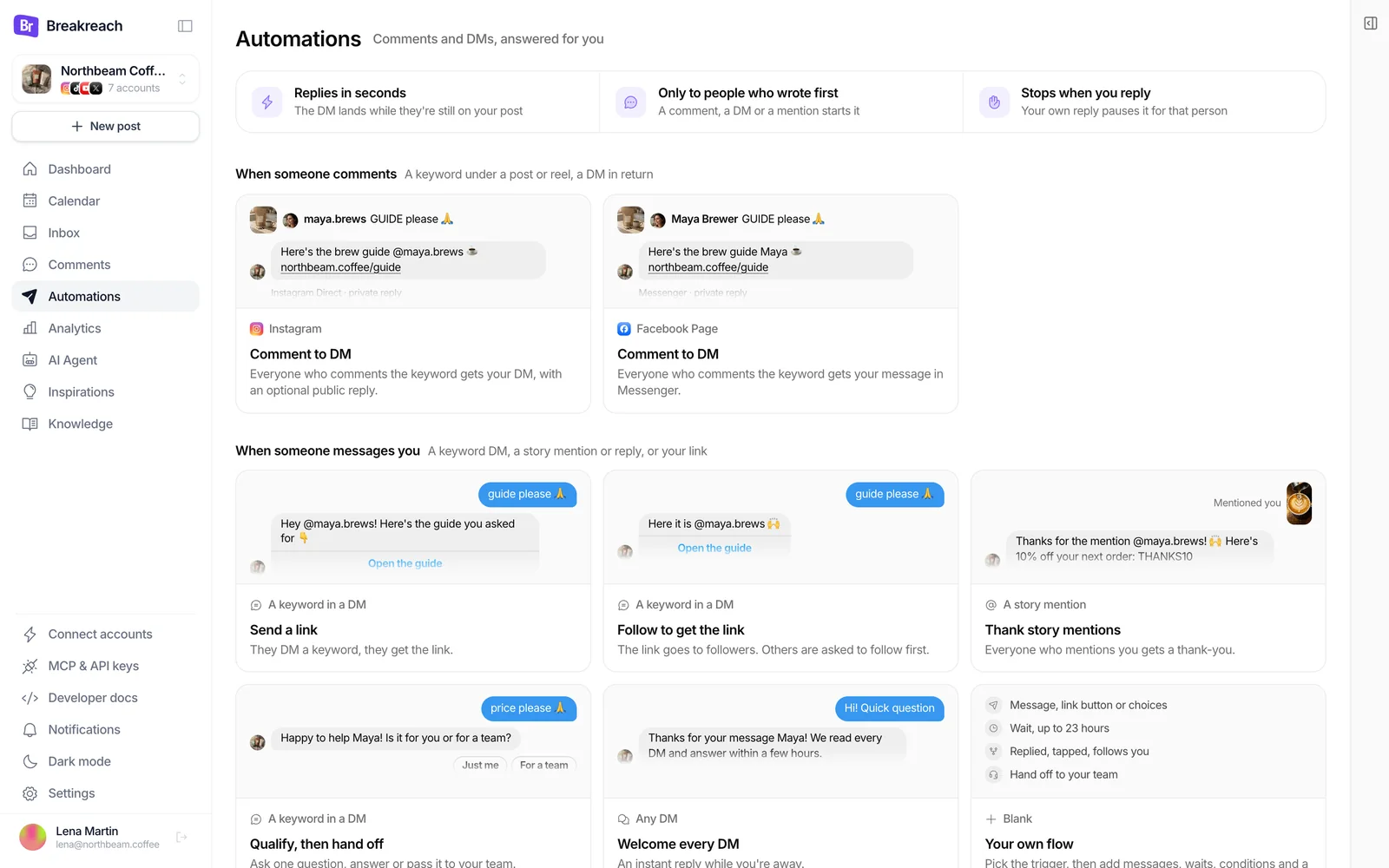
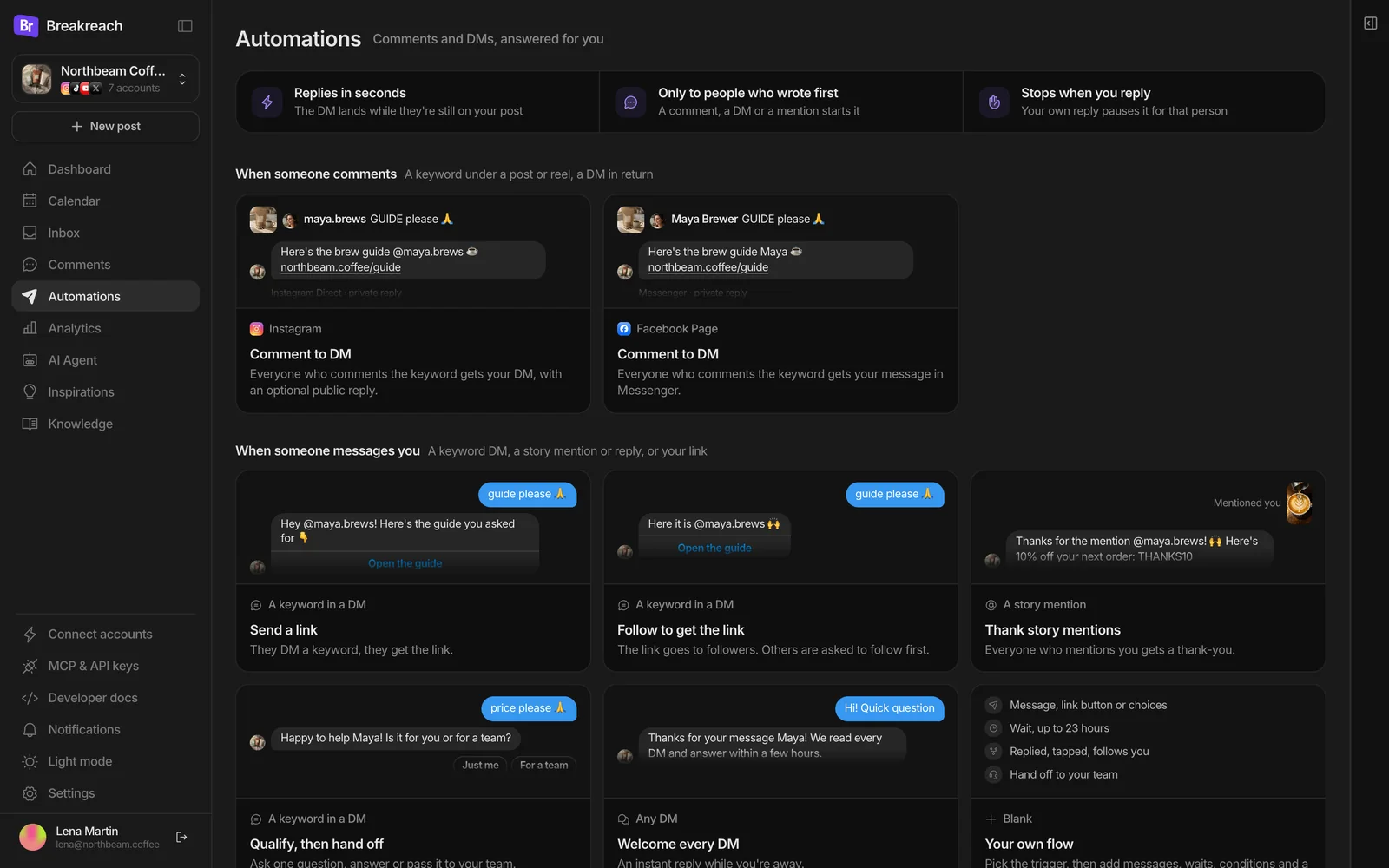
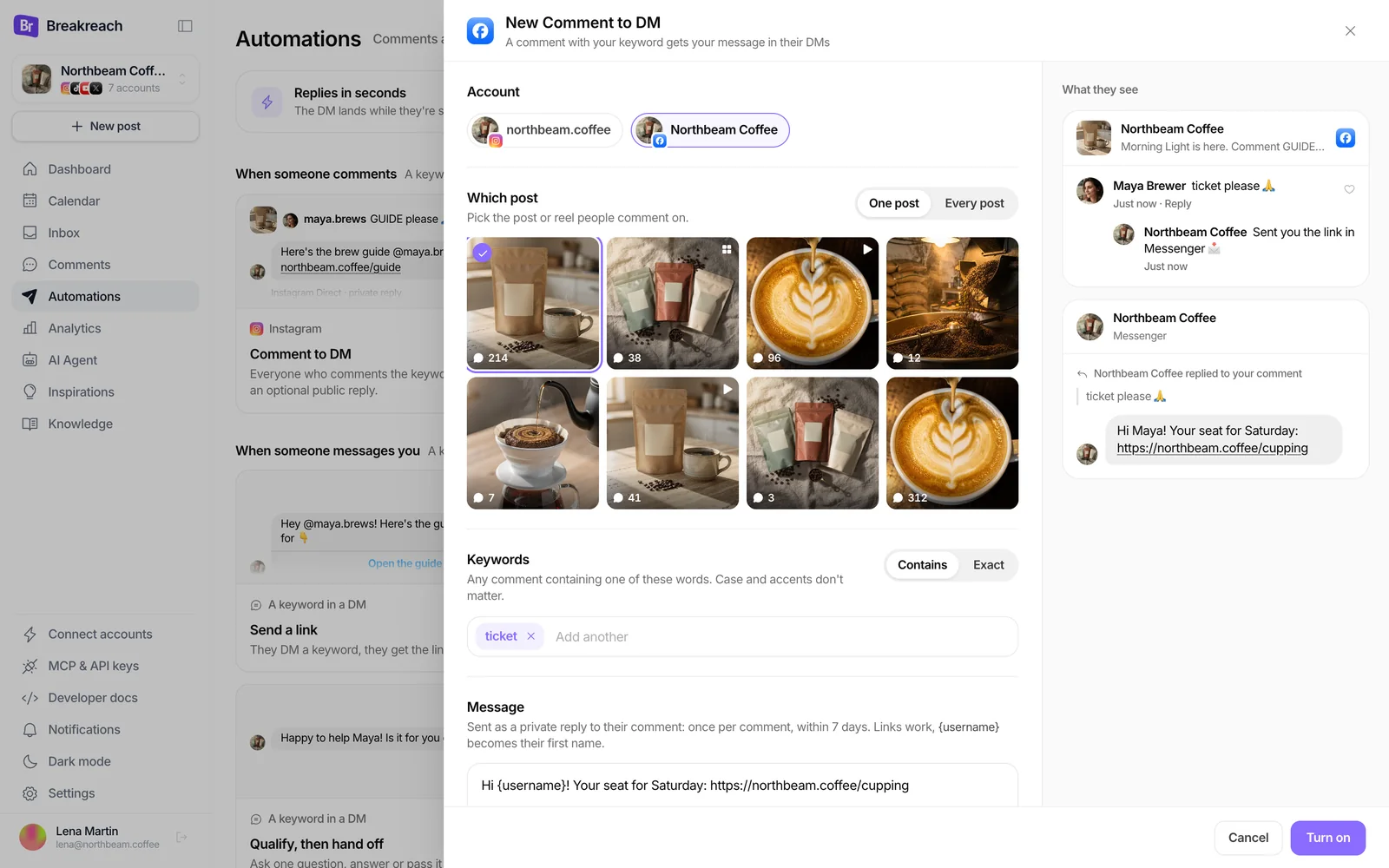
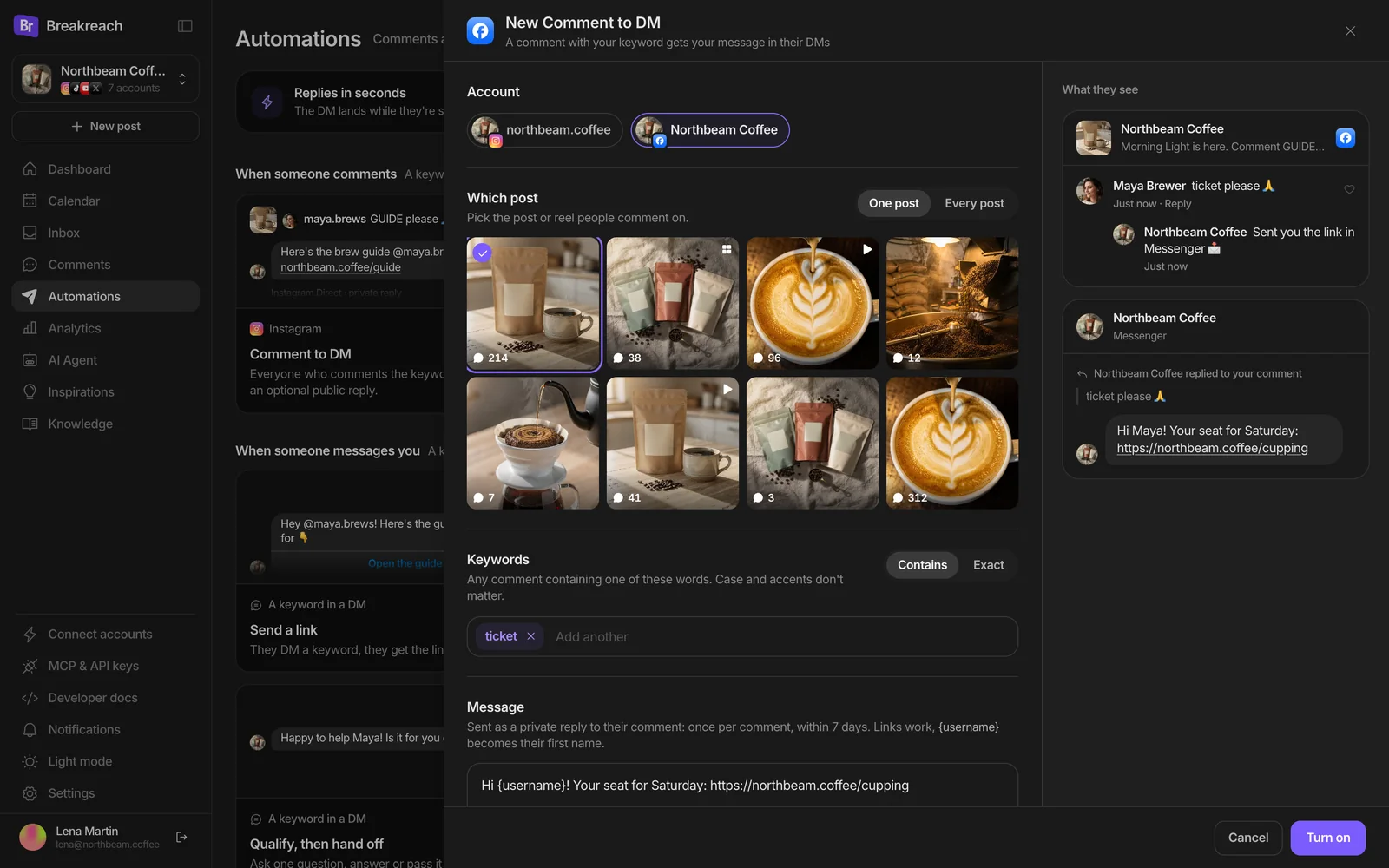
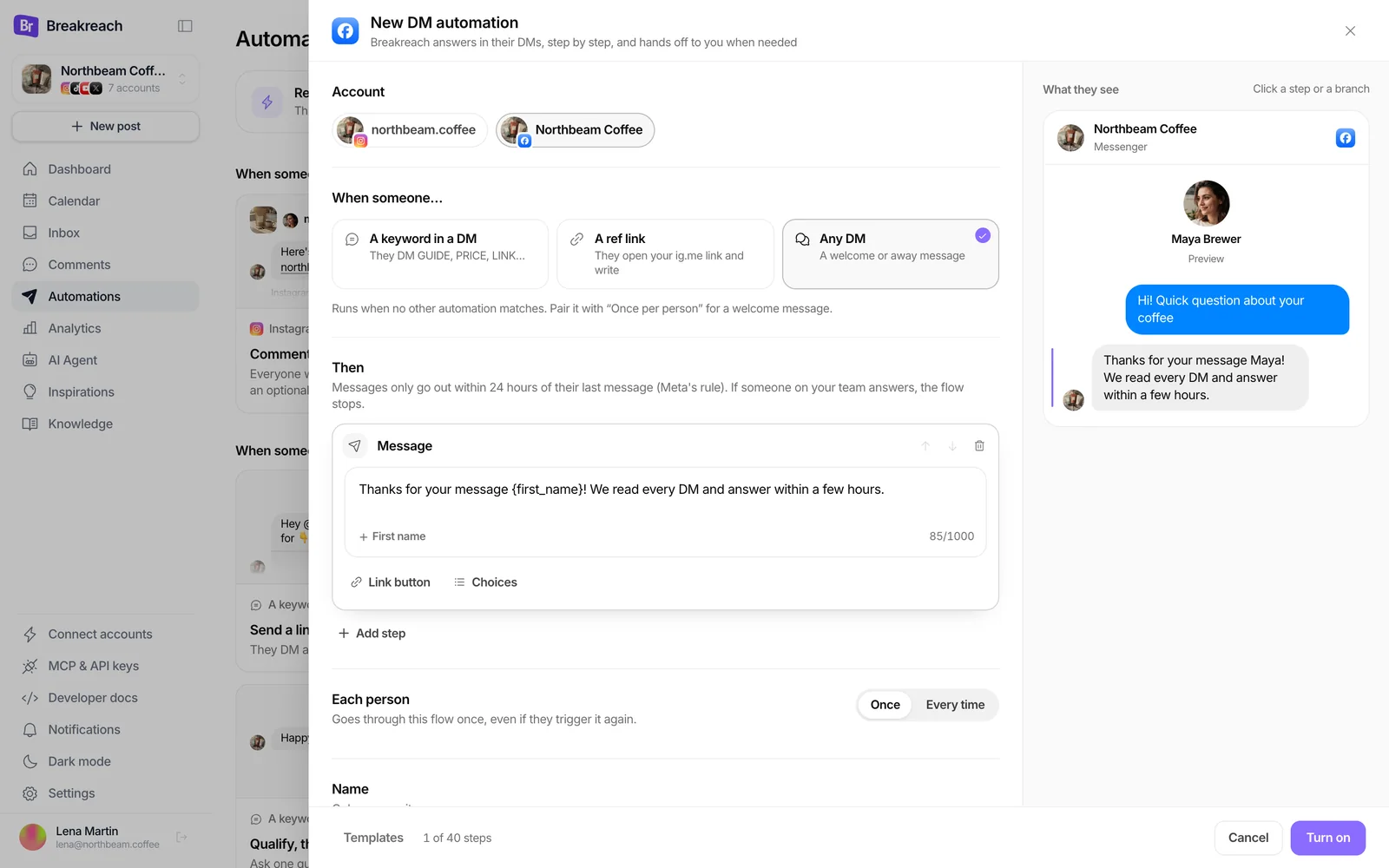
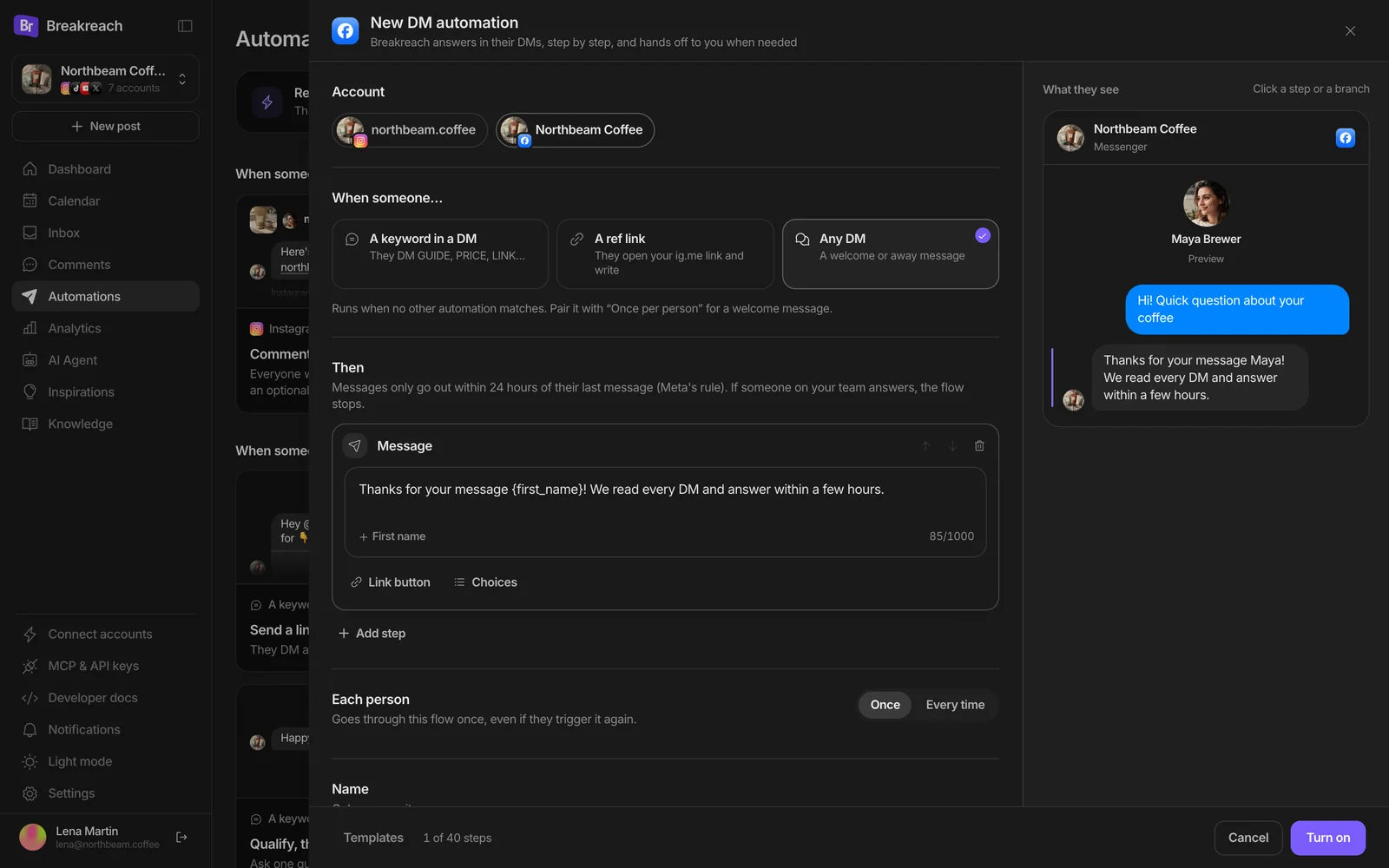
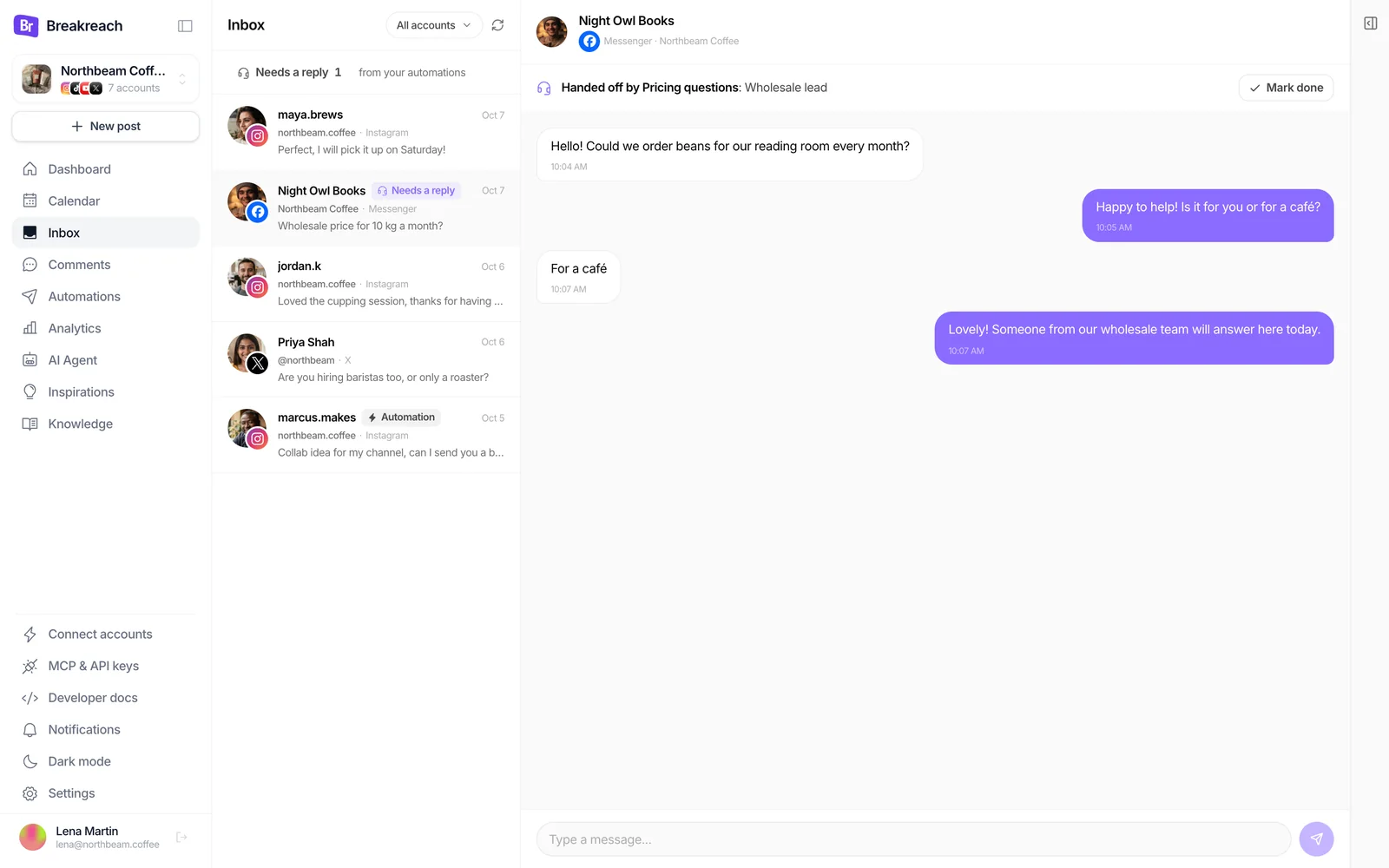
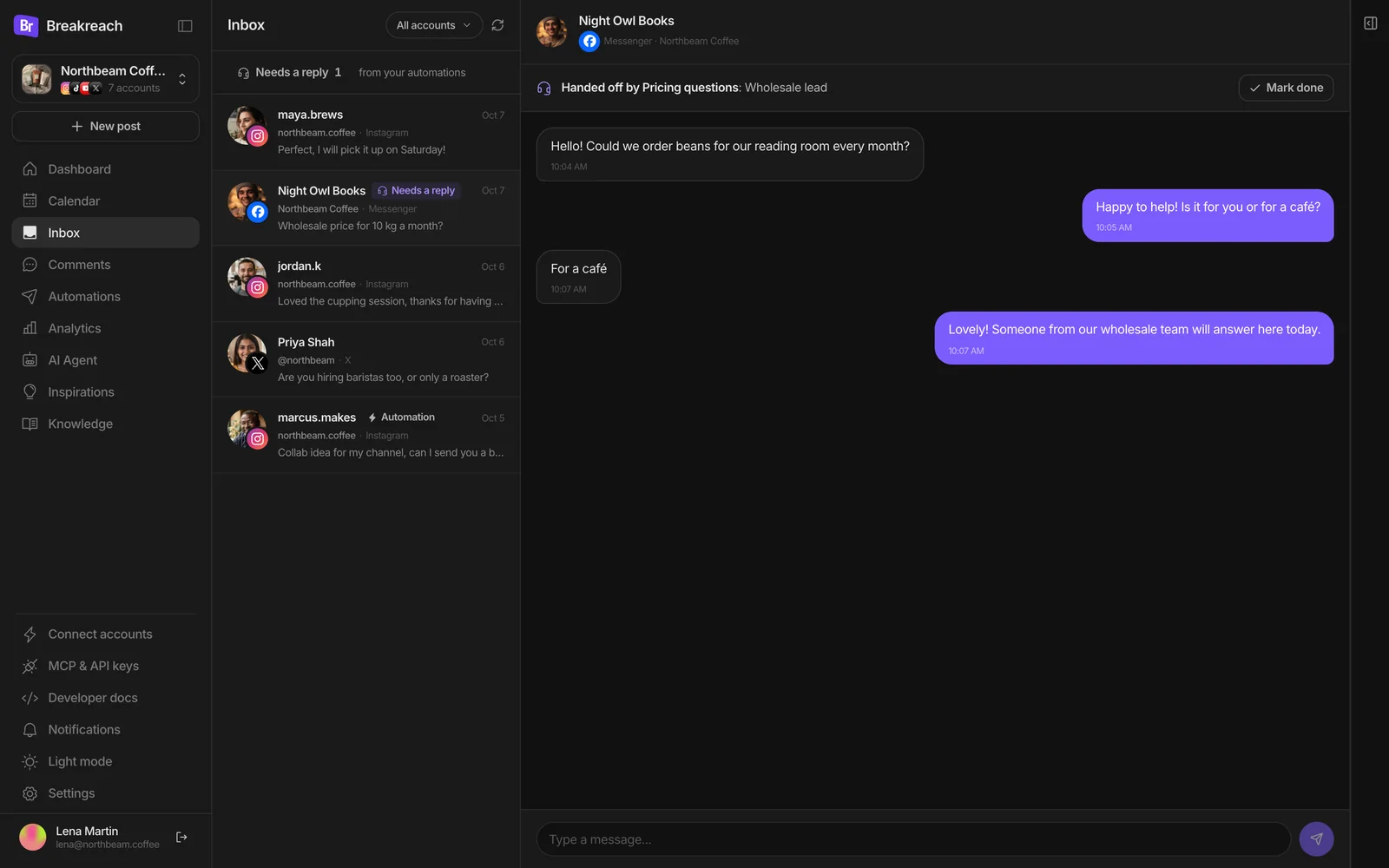
Breakreach runs the same automations on a Facebook Page as on Instagram, through Meta's Messenger Platform: Comment to DM in Messenger, DM automations for keyword DMs, any-DM welcome replies and m.me ref links, with questions, buttons and a handoff to your Inbox. They need one more Page permission from Meta (`pages_manage_metadata`), submitted for review on October 8, 2026: until it's approved, Facebook Pages work only for accounts testing the app. Instagram works for everyone today.
- app.breakreach.com/dashboard/northbeam/automations
Or with the APIThe same calls as Instagram, with a Page id.
/v1/comment-dm-rules and /v1/dm-automations take a Facebook Page's account id from GET /v1/accounts. The same caveat applies: until Meta approves the Page permission, these calls work only for accounts testing the app. Full reference: the DM automations API.
- 1
Comment to Messenger on a Page post
A Page post's id is
{page-id}_{post-id};GET /v1/comment-dm-rules/medialists the Page's latest posts. - 2
A welcome reply, once per person
any_messageanswers every first message;reentryoncekeeps it to one reply per person. - 3
An m.me link that starts a flow
A
reftrigger on a Page returns itsm.melink, for a QR code on the counter or a button on your site.
Or ask ChatGPT or ClaudeThe same tools, for a Page.
With Breakreach connected, name the Page: the assistant calls create_dm_automation or create_comment_dm_rule with the Page's account id.
When people comment TICKET on the cupping post, send them the booking link in Messenger.
Who wrote to the Page this week and hasn't had a reply?
 Claude· Breakreach connected
On the Northbeam Coffee Facebook Page, answer every first message with our hours and say a person will reply soon.
 breakreach · create_dm_automation
{
"accountId": "6701a2f4c9e84b0012a3b4c9",
"trigger": { "type": "any_message" },
"reentry": "once",
"steps": [{ "type": "message", "text": "Thanks for messaging Northbeam Coffee! We're open 8 AM to 6 PM. A person will reply soon." }]
}Done on the Facebook Page: everyone who writes for the first time gets your hours and the promise of a reply, once each.
What are Messenger's rules for automated replies?From the Messenger Platform docs.
| Rule | What Meta documents |
|---|---|
| Who starts | “A person must initiate the conversation” |
| Reply window | 24 hours after their message; promotional content is allowed inside it |
| After 24 hours | The human agent tag, for a person answering, within 7 days. Since April 27, 2026, the confirmed event, account and post-purchase update tags return an error |
| Comment replies | One private reply per comment, within 7 days |
| Speed | Automated bots “must respond to user input within 30 seconds” |
| Send rate | 300 calls a second per Page for text; a Page that sends more than 40 messages a second stops sending until volume drops |
| Daily formula | 200 × the number of people the Page can message, per 24 hours |
| Disclosure | Where the law requires it, say the person is talking to an automated service |
Facebook Messenger auto reply message samplesThree to start from.
- Hi {first_name}, thanks for messaging Northbeam Coffee! We're open every day from 8 AM to 6 PM. A person will answer the rest of your message shortly.150 characters
- Hi {first_name}, we're closed right now. We open again at 8 AM and we'll answer your message then.98 characters
- Thanks for your message! This is an automatic reply: someone from the team reads every message and answers within a few hours.126 characters
Twenty more, for Instagram and Messenger, each with its API body: auto-reply message examples.
BreakreachOne place for Instagram and Messenger replies. Comment DMs, keyword flows and handoffs, next to your posts.
Try Breakreach

Comment hasguide
Here's the Morning Light brew guide…
northbeam.coffee
Morning Light is here. Comment GUIDE for the brew recipe

maya.brewsGUIDE please
Just now · Reply

northbeam.coffeeSent! Check your DMs
Just now
northbeam.coffee
Instagram · Direct
northbeam.coffee replied to your comment
GUIDE please
Here's the Morning Light brew guide: https://northbeam.coffee/guide Tag us in your first cup!
Sources
- Meta Business Help: set up Inbox automations
- Meta Business Help: Inbox automations
- Meta Business Help: automations on mobile
- Meta Business Help: Inbox troubleshooting
- Meta Business Help: features unavailable in Europe and Japan
- Facebook Help: instant replies
- Meta: Messenger, send a message
- Meta: Messenger private replies
- Meta: Messenger Platform rate limits
- Meta: Messenger and Instagram messaging policy
- Breakreach OpenAPI spec
Read on October 8, 2026. Breakreach's own limits come from its code.
Messenger replies, answered.
Short answers, sourced above.
In Meta Business Suite, go to Inbox, Automations, Create automation, and pick Instant reply. Choose the channel, write the message, save, and check its status is on. From Facebook, switch into your Page, open Messenger, then Automations.
Create automation, then Away message, and set a schedule with your time zone, days and hours. It has no on/off switch: it runs during the hours you scheduled.
Usually one of these: the person is in Europe or Japan, where Meta lists automated responses as unavailable; Meta Business Agent is on, which pauses automations; or your Page's messaging status is Away.
Yes. Meta Business Suite has a Comment to message automation on desktop, and tools on the Messenger Platform can send one private reply per comment within 7 days, like Breakreach's Comment to DM for Facebook Pages (pending Meta's approval of one permission).
An automation or a person can reply within 24 hours. After that, only a person can answer, with the human agent tag, within 7 days.
Keep reading
Auto-reply message examplesWelcome, away, FAQ and link replies.How to automate Instagram DMsComments, keywords, stories, ref links.Auto DM from commentsComment to DM, in the app or the API.Instagram DM limitsWhat Meta documents, with links. DM automations APIFlows, runs, webhooks, MCP tools.ManyChat alternativesPrices checked on each vendor's page.




Put your socials on autopilot.Live in two minutes.
Plans from $29 a month. Cancel anytime.