 Guide · Instagram DMs
How to automate Instagram DMs.Comments, keywords, stories and links.
Pick what starts the conversation (a comment, a keyword in a DM, a story mention or a link), write the reply, and let a tool on Instagram's official messaging API send it in seconds. Instagram only lets a business answer people who wrote first, within 24 hours. In Breakreach that's a template on the Automations page, or one POST /v1/dm-automations.
Updated October 8, 2026 · Checked against Meta: Instagram Messaging API (Instagram Login), Meta: Instagram private replies, Meta: Instagram Platform overview and rate limits and 11 more sources
What can start an automated Instagram DM?Always something the person did.
Meta's rule is short: “Only after an Instagram user has sent your app user's Instagram professional account a message can your app send a message.” A comment is the one exception, with a single private reply. So every automation starts from one of these:
| What they do | What you can send | Meta's rule |
|---|---|---|
| Comment a keyword on a post or reel | One DM (a private reply) | One per comment, within 7 days. More only after they answer. |
| DM you a keyword (PRICE, GUIDE) | A conversation: messages, a link button, choices | Within 24 hours of their last message |
| Mention you in their story | A thank-you, a code | Public accounts, or private ones that follow you |
| Reply to your story | An answer to that reply | Within 24 hours |
| Open your ig.me link and write | The flow tied to that link | The ref arrives with their message; on an existing thread it resets the 24 hours |
| Send any DM | A welcome or away reply | Within 24 hours |
What no tool on the official API can do: message someone who never wrote to you, DM people when they follow you (Meta has no webhook for new followers, see the follower guide), or keep writing after 24 hours of silence. Past 24 hours only a person on your team can answer, with Meta's human agent tag, for up to 7 days.
Set it up in the appPick a template, edit it, turn it on.
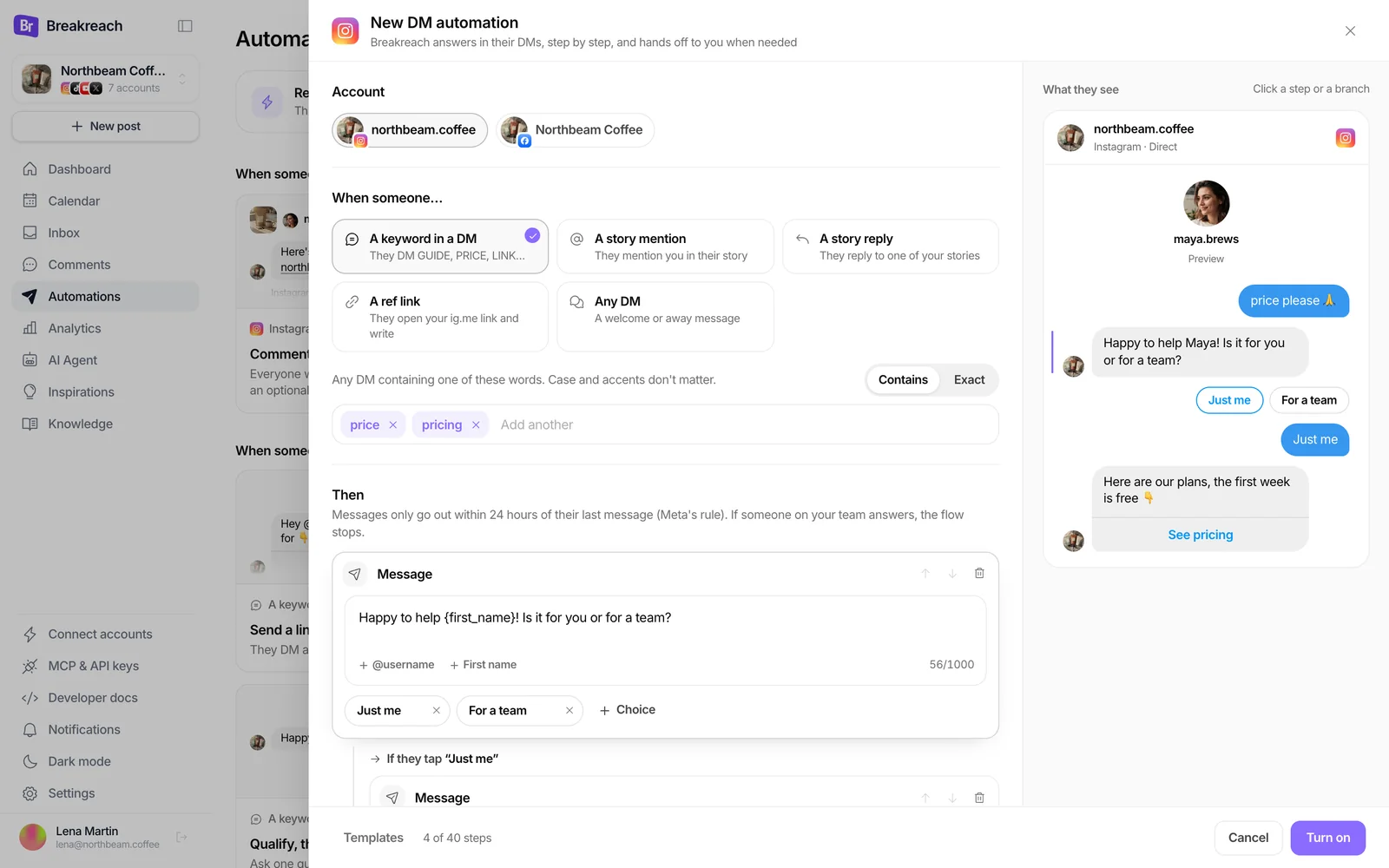
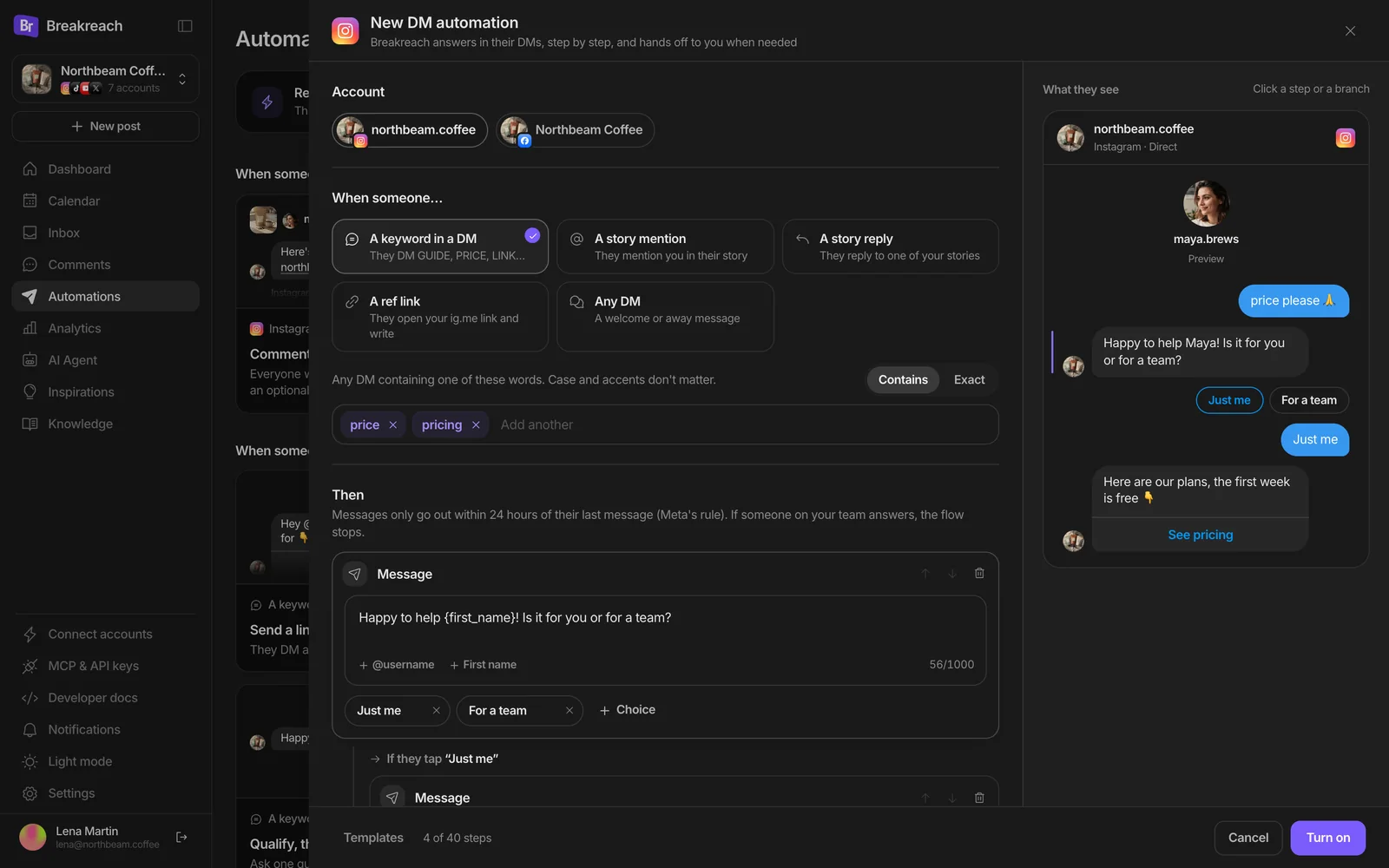
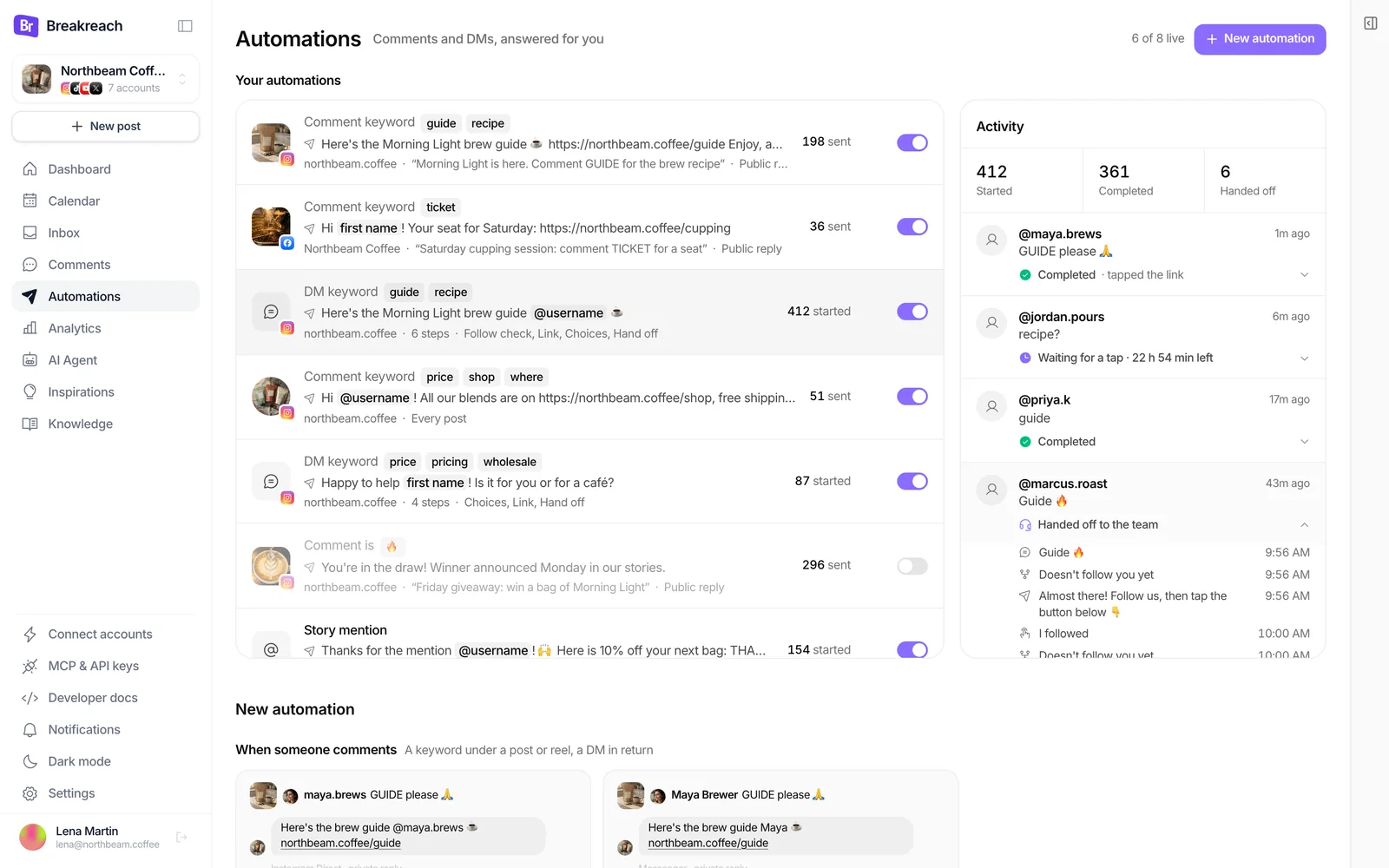
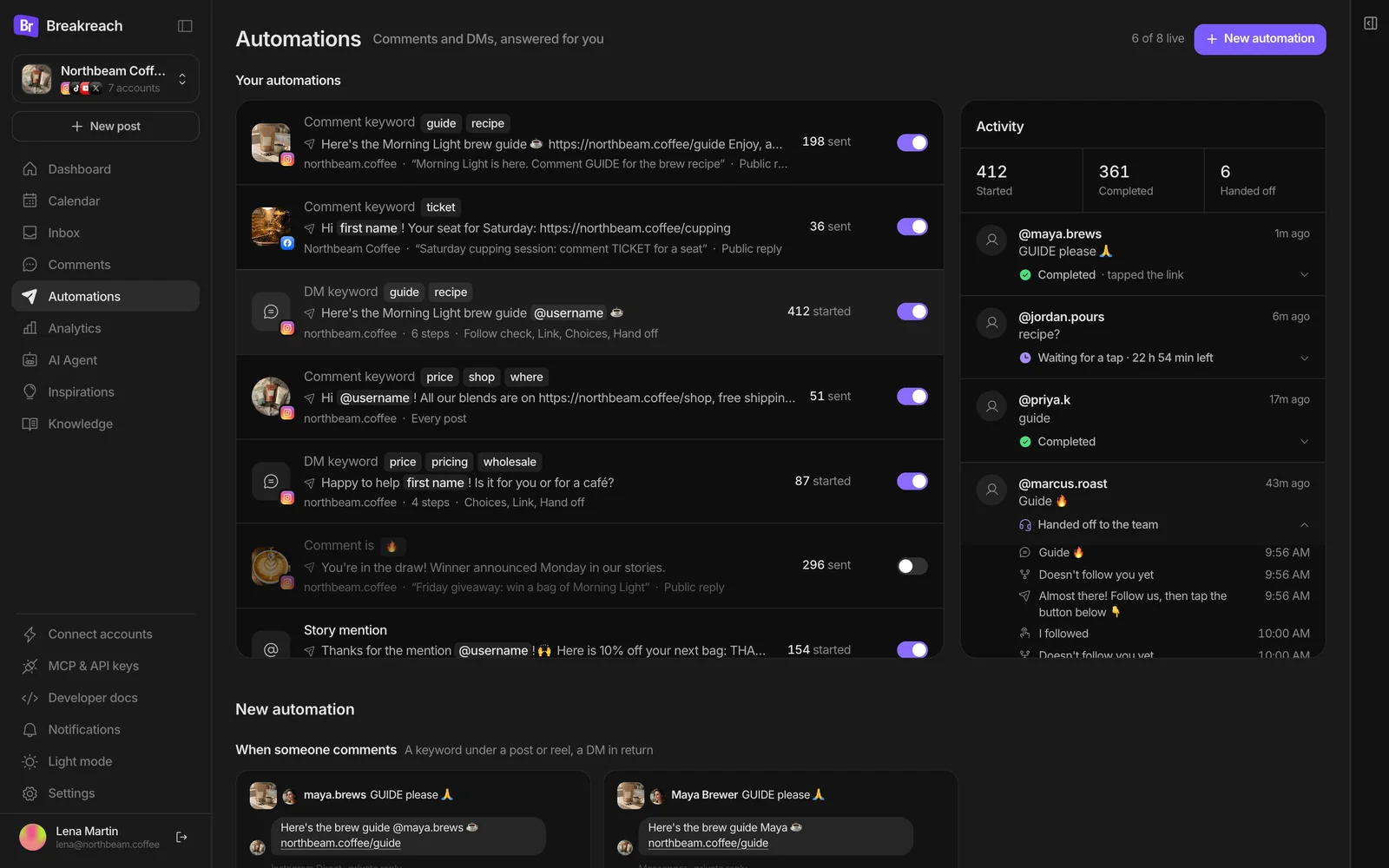
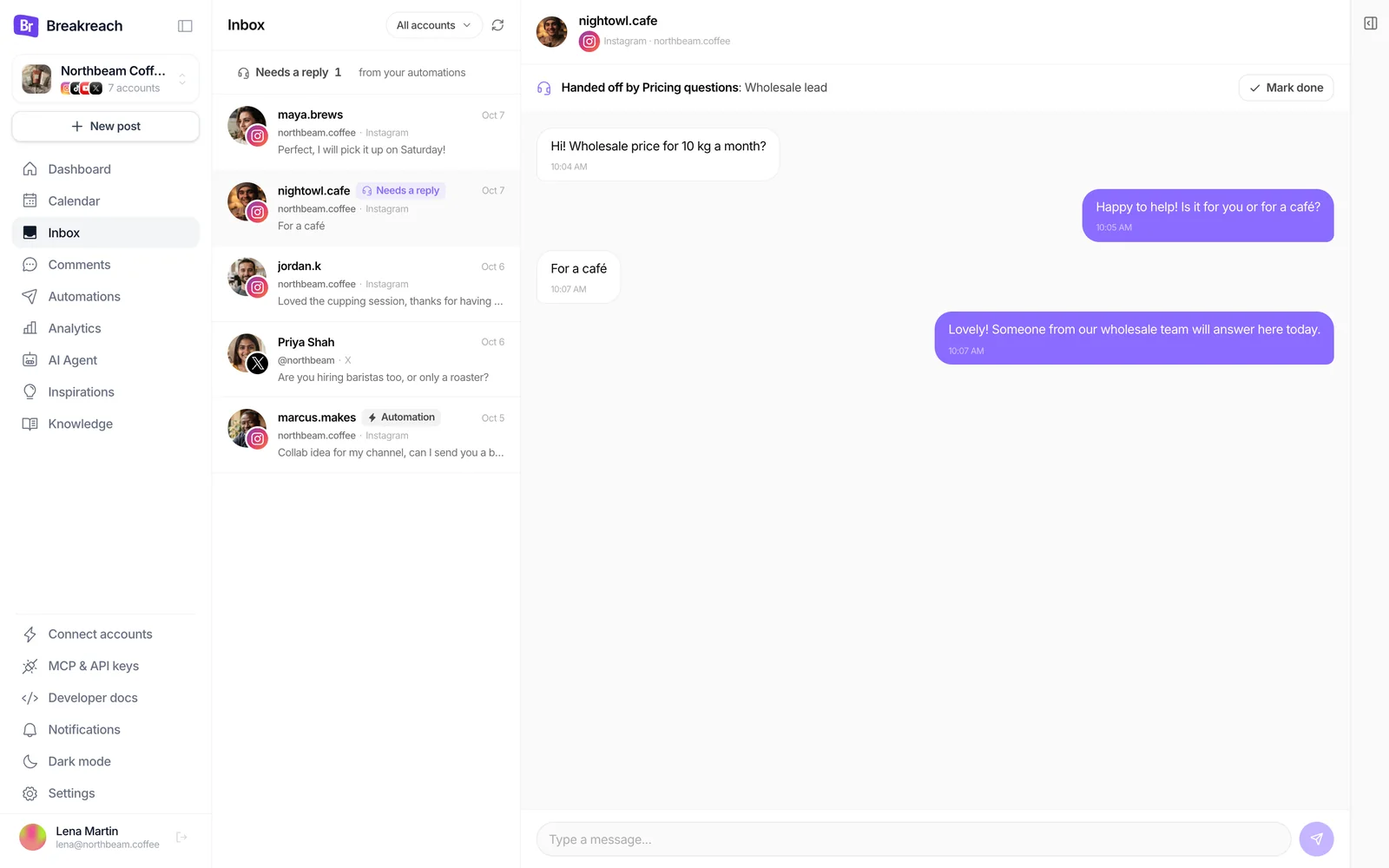
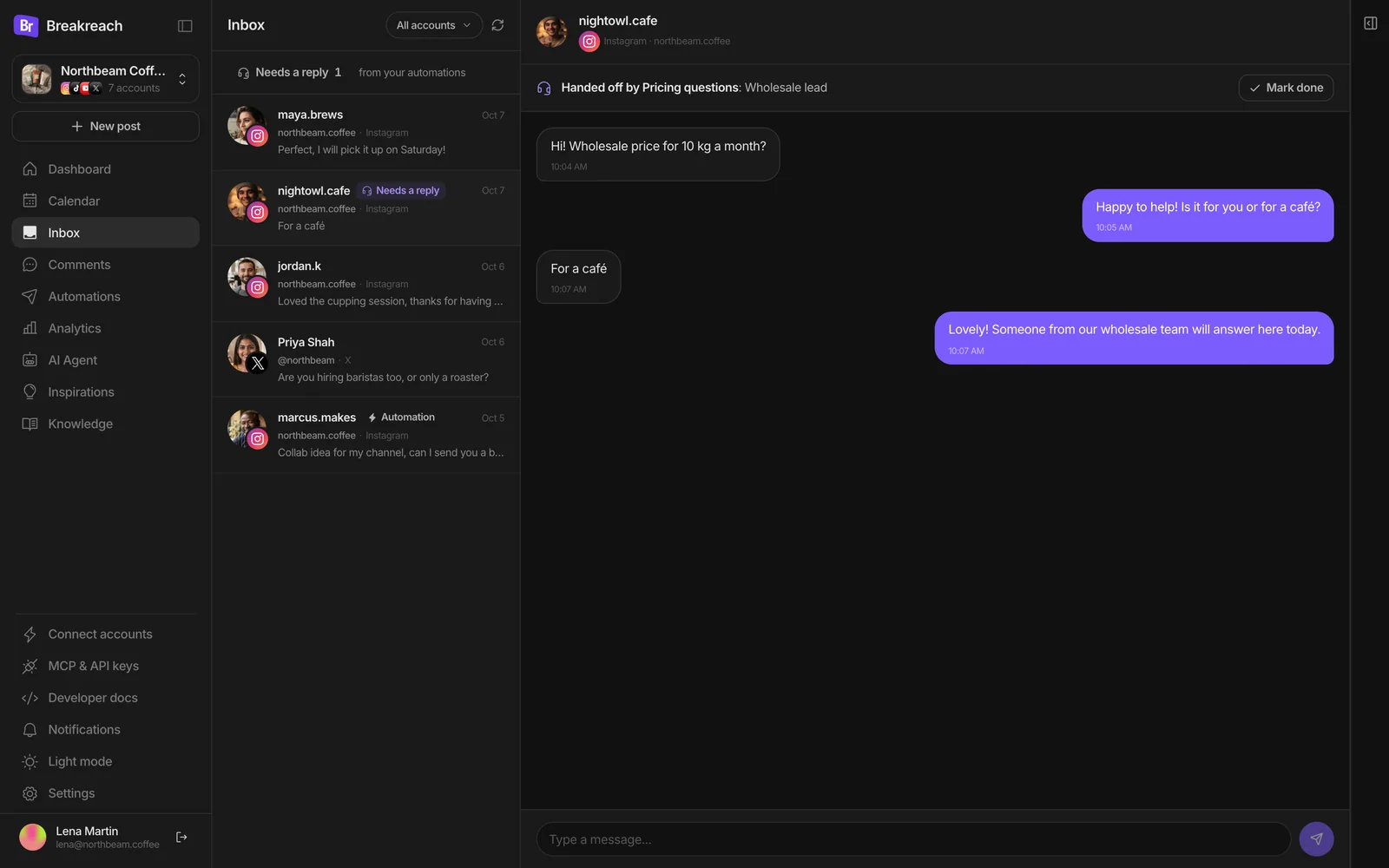
Breakreach's Automations page starts every automation from a card: Comment to DM, then the DM templates. These are the real screens, on our demo account Northbeam Coffee.
- app.breakreach.com/dashboard/northbeam/automations
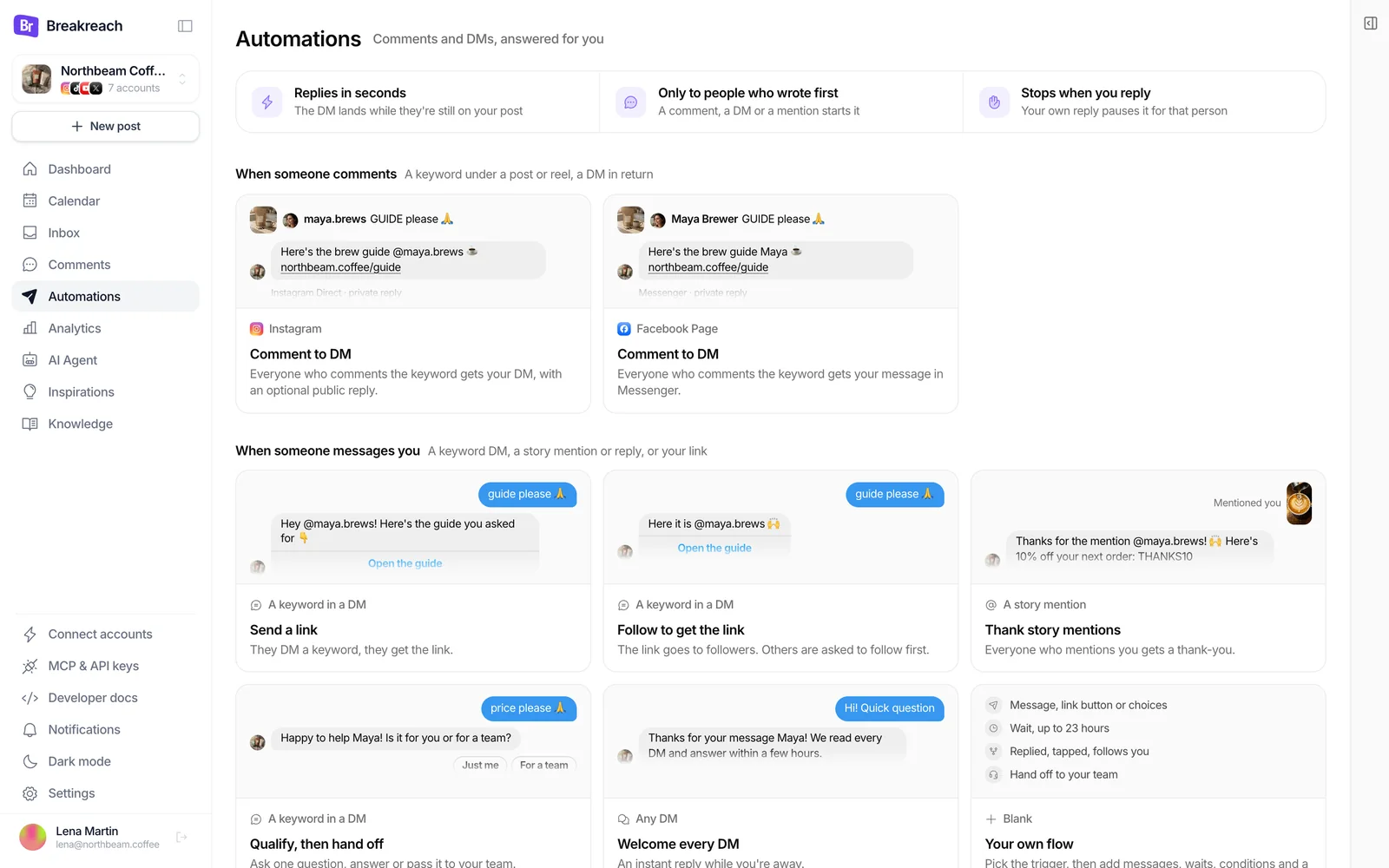
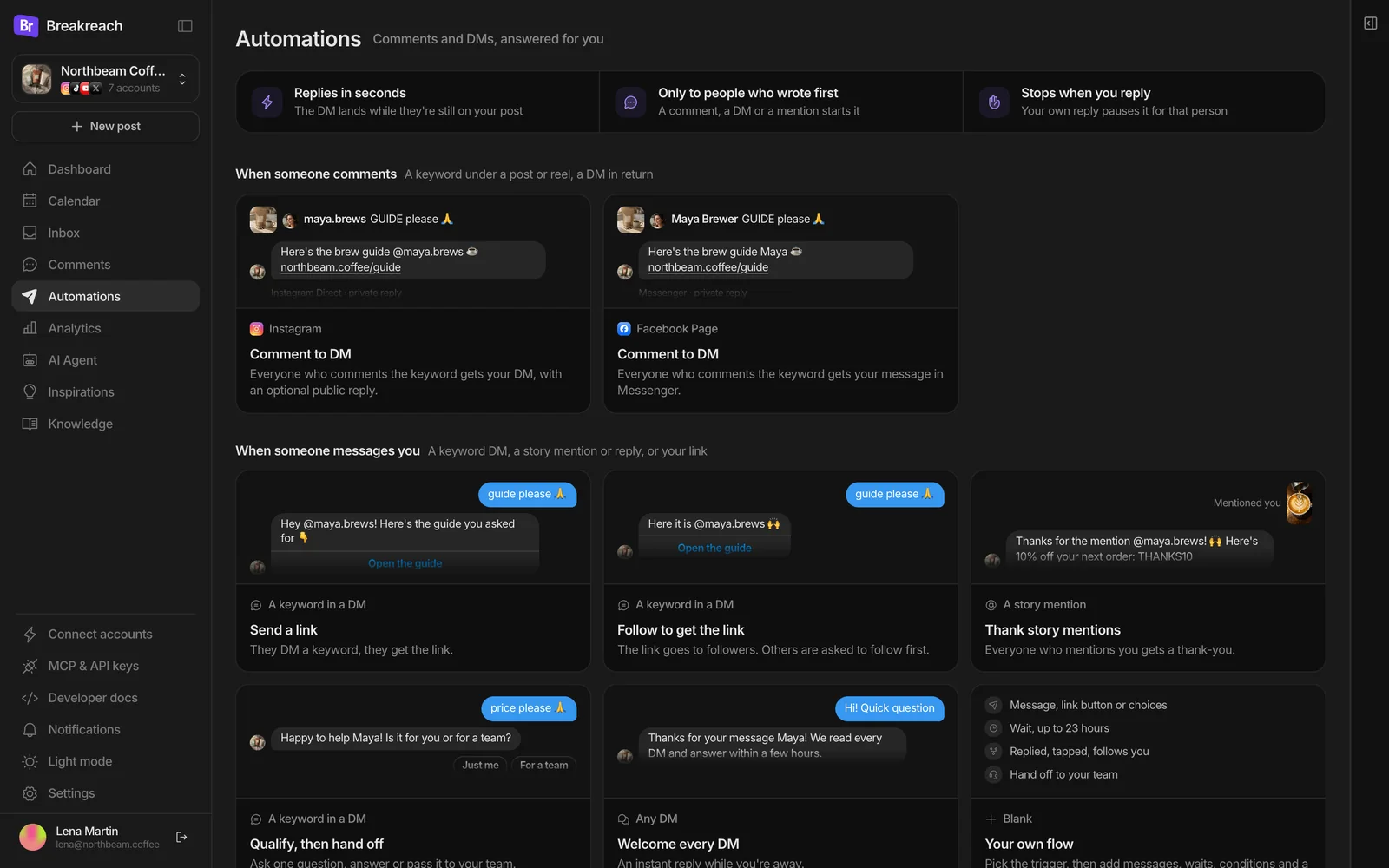
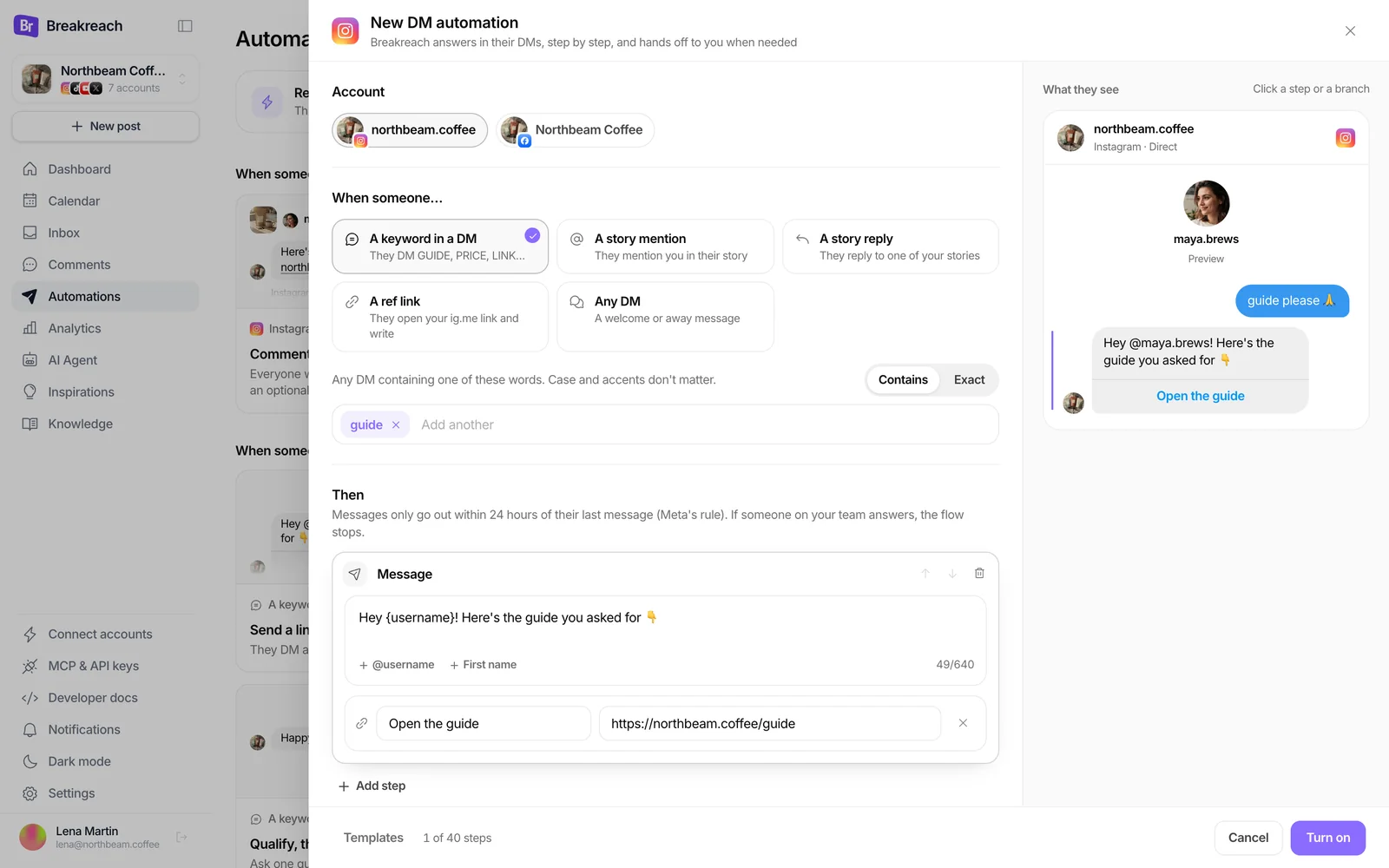
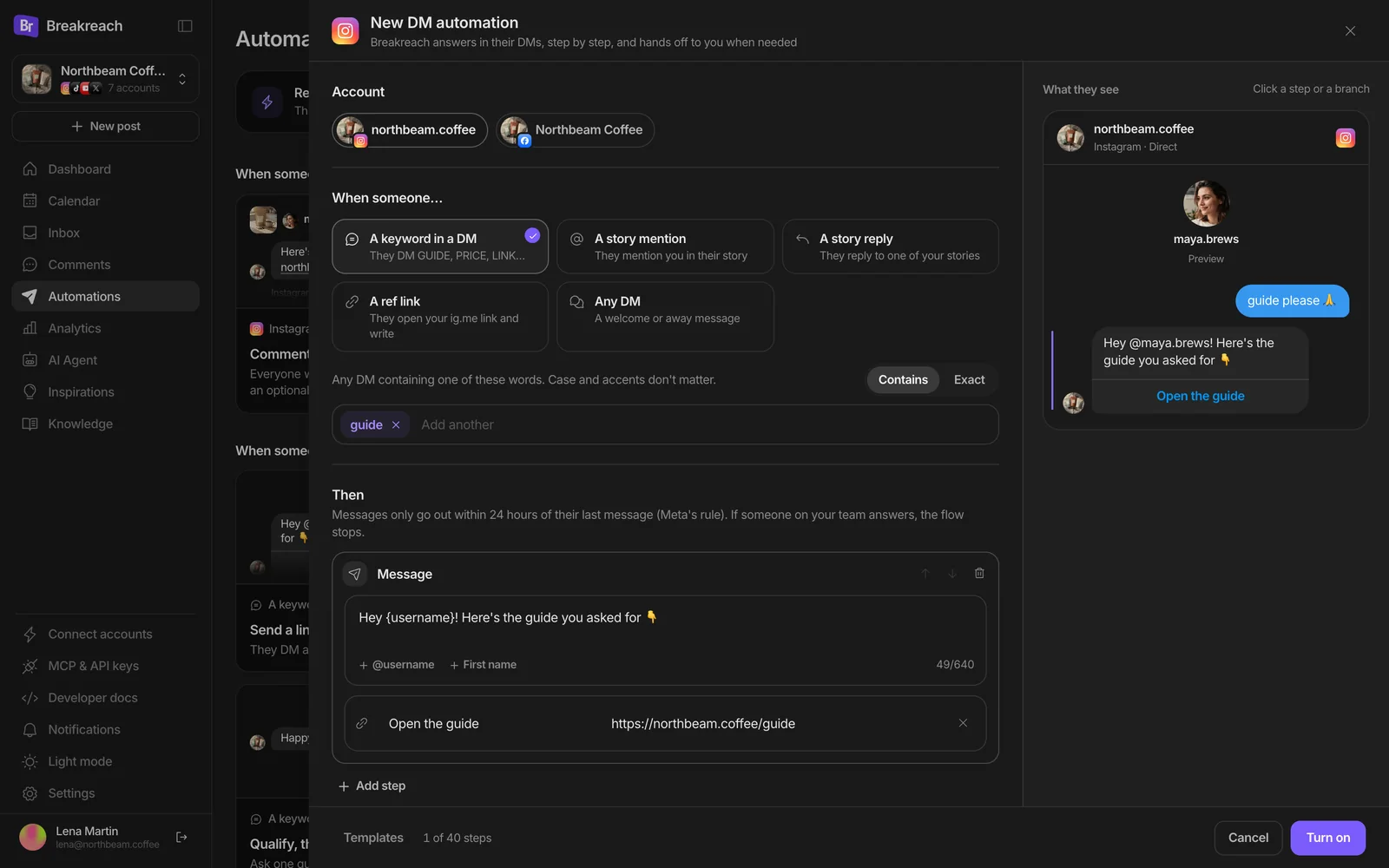
Set it up with the APIPOST /v1/dm-automations, then webhooks.
The same automations through Breakreach's REST API, with an API key from Settings, API & MCP. A trigger and a list of steps, checked against Meta's limits when you create it. Every field is in the OpenAPI spec; the reference is the DM automations API page. Comments go through /v1/comment-dm-rules, covered in the comment to DM guide.
- 1
Send a link to everyone who DMs a keyword
trigger.typekeyword, up to 20 keywords, and a message with a link button. Clicks are counted: the button goes through Breakreach's redirect, since Meta never reports a tap. - 2
Thank everyone who mentions you in a story
story_mentionneeds no keyword.reentryalwayswith acooldownHourslets the same person be thanked again a week later. - 3
Ask a question, hand the right people to your team
Choices become quick replies (13 at most, 20 characters each), each with its own steps. A
handoffflags the conversation in the Breakreach Inbox and ends the flow. - 4
Put a ref link in your bio
refstarts a flow from a link: in the bio, a QR code on the counter, an ad. The response carries the link to share. - 5
Hear about handoffs, read every run
Pick
dm_automation.handoff(orstarted,finished,failed) when you add a webhook in Settings, API & MCP: the place to open a ticket or ping a channel.GET /v1/dm-automations/:id/runsreturns each person's log, kept 90 days.
Or ask ChatGPT or ClaudeDescribe the flow in plain words.
With Breakreach connected in ChatGPT or Claude (two-minute setup), say what should happen. The assistant turns it into one create_dm_automation call with the trigger and the steps, and list_dm_automations tells you later who went through it and where they stopped. More in the ChatGPT and Claude guide.
Thank everyone who mentions us in a story with the code THANKS10.
Who did the pricing automation hand over this week?
Turn off the welcome message for the weekend.
 ChatGPT· Breakreach connected
When someone DMs PRICE, ask if it's for them or for a café. Send individuals the shop link, and hand cafés over to me.
 breakreach · create_dm_automation
{
"accountId": "6701a2f4c9e84b0012a3b4c5",
"trigger": { "type": "keyword", "keywords": ["price"] },
"steps": [{
"type": "message",
"text": "Happy to help! Is it for you or for a café?",
"choices": [
{ "label": "Just me", "steps": [ … shop link … ] },
{ "label": "For a café", "steps": [ { "type": "handoff" } ] }
]
}]
}It's live on @northbeam.coffee. People who DM PRICE get the question with two buttons: “Just me” gets the shop link, “For a café” lands in your Breakreach Inbox under Needs a reply.
Is it allowed to automate Instagram DMs?Yes, on the official API, with a few rules.
Instagram's messaging API exists for this, and Meta approves each app's access in App Review. What breaks the rules is the rest: tools that log in with your password, tap through the app, or message people who never wrote to you. Meta also asks for three things any setup should have:
- A way to reach a person“Apps that use the Instagram Messaging APIs must have an escalation path to a human agent.” In Breakreach that's the handoff step and the Inbox, and an automation stops as soon as someone on your team answers.
- Fast answersMeta's messaging policy asks automated bots to respond to user input within 30 seconds. Breakreach answers as the webhook arrives, usually in a few seconds.
- Saying it's automated where the law asksMeta requires automated chats to disclose it “when required by applicable law” (California and Germany are named). A line like “Automated reply, a person reads every DM” covers it.
Which DM automations should you set up first?The ones your audience already triggers.
Start with what people already do on your account, and add one automation at a time. For a coffee brand like Northbeam, that order works:
- Comment to DM on your next reel“Comment GUIDE for the recipe.” It answers every comment and pushes the reel, since comments count as engagement. Set it up.
- The same keyword by DMPeople who see the reel later DM the word instead of commenting. One keyword automation catches them with the same link.
- A thank-you for story mentionsCustomers who tag you get a code. It turns a mention into a second order and a reason to tag you again.
- A welcome or away replyAny DM gets “we read every message and answer within a few hours”, once per person, so nobody waits in silence over the weekend.
- A question before the handoffWholesale, partnerships, bookings: one question with buttons sorts them, and the ones that matter land in the Inbox flagged for a reply.
A fitness coach would swap the story thank-you for “reply PLAN for the week-one program”. A SaaS founder would put an ig.me/m/founder?ref=demo link in the bio and send the demo link with a question about team size. Messages for each of these are in the auto-reply examples.
Should you only send the link to followers?You can check. Think twice before you do.
Instagram tells an app whether the person follows the account (is_user_follow_business), but only once they've messaged you: a comment alone isn't enough. Breakreach's Follow to get the link template uses it: followers get the link, the others are asked to follow and tap “I followed”, which checks again.
It works, and many accounts run it. But Meta's Community Standards on spam list “like/share-gating”, requiring “likes, shares, follows or any other public-facing form of engagement to gain access to specific, exclusive content”. We'd keep the follow a request rather than a wall: send the link to everyone, and ask for the follow in the same message.
BreakreachYour DMs can answer the easy questions. And hand you the ones that need you, flagged in the Inbox.
Set up a DM automationDM hasprice

northbeam.coffee
Instagram · Direct
Hi! What's your wholesale price for 10 kg?
Here's our café price list, free shipping from 5 kg 👇
See the price list
1 hour later
They opened the price list
Want a free tasting kit for your café?
Yes please
Handed off to your team, in the Inbox
What are the limits?Meta's, then Breakreach's.
| Limit | Value | Set by |
|---|---|---|
| Reply window | 24 hours after their last message | Meta |
| Message | 1,000 bytes of UTF-8 text; 640 characters with a button | Meta |
| Choices (quick replies) | 13, labels up to 20 characters | Meta |
| Private replies to comments | 1 per comment, within 7 days, 750 an hour per account | Meta |
| Steps per automation | 40, branches 6 levels deep | Breakreach |
| Longest wait | 23 hours, so the next message still fits the window | Breakreach |
| Each person | One flow at a time per account | Breakreach |
Can Instagram auto-reply on its own?A little, through Meta Business Suite.
Meta Business Suite's Inbox has free automations for Instagram, Messenger and WhatsApp, under Inbox, Automations, Create automation. They cover the basics, with limits Meta documents:
- Instant replyA greeting for someone's first message only.
- Away messageRuns on a schedule you set; it has no on/off switch.
- Frequently asked questionsUp to five in Business Suite, four in the Instagram app, shown when people open a chat with you.
- Custom keywordsUp to five keywords, case-sensitive and matched exactly, desktop only, and sent after 15 minutes unless you answer first.
- Comment to messageDesktop only. Meta's help pages don't say whether it covers Instagram posts.
Two catches. Meta lists automated responses among the features unavailable “for messages to or from people or businesses” in Europe and Japan. And there are no flows: no question with buttons that branches, no follow check, no handoff note, no API. That's where a tool like Breakreach or ManyChat comes in.
Breakreach, ManyChat or your own code?It depends on how big the bot gets.
ManyChat goes further as a chatbot builder: a visual canvas, contact fields, tags, sequences and broadcasts, plus WhatsApp, Telegram and SMS. Its price grows with your contacts. If your DMs are a sales funnel with segments, it's the better tool, and our ManyChat alternatives page compares the others with prices checked today.
Breakreach covers the flows most creators and small brands run (DM automations for keyword replies, Comment to DM, story mentions, ref links, a question with buttons, a follow check and a handoff) inside the scheduler you publish with, at a flat price from $29 a month and no contact count. Every plan also comes with the REST API, webhooks and an MCP server for ChatGPT and Claude.
Your own code on Meta's API is free for your own account, but you host the webhook, the queue, the 24-hour checks and the token refresh. The n8n guide shows what that takes, and when an API like Breakreach's is the shorter road.
Sources
- Meta: Instagram Messaging API (Instagram Login)
- Meta: Instagram private replies
- Meta: Instagram Platform overview and rate limits
- Meta: Instagram story mentions
- Meta: ig.me links
- Meta: Instagram User Profile API
- Meta: Instagram quick replies
- Meta: Instagram button template
- Meta Developer Policies
- Meta Community Standards: Spam
- Instagram Help: automated chats
- Meta Business Help: Inbox automations
- Meta Business Help: features unavailable in Europe and Japan
- Breakreach OpenAPI spec
Read on October 8, 2026. Breakreach's own limits come from its code.
DM automation, answered.
Short answers, sourced above.
Connect your Instagram professional account to a tool on Meta's official messaging API, pick what starts the conversation (a comment, a keyword DM, a story mention, a link or any DM), write the reply and turn it on. In Breakreach, that's a template on the Automations page or POST /v1/dm-automations.
No. Meta only lets a business answer people who wrote first, within 24 hours of their last message. The one exception is a private reply to a comment: one DM, within 7 days.
You need an Instagram professional account, business or creator. Switching is free in Instagram's settings. Comment to DM also needs the account to be public.
Meta doesn't document a daily cap on replies. It documents 750 private replies to comments an hour per account, send rates per second, and the 24-hour window. Numbers like “200 DMs an hour” circulate on vendor blogs without a Meta source.
In Breakreach, the automation stops for that person as soon as you or your team answer, from Instagram, Business Suite or the Breakreach Inbox, and other automations leave them alone for 12 hours.
Yes, with Breakreach connected: describe the flow and the assistant creates it through Breakreach's MCP server, then reports who went through it.
Keep reading
Auto DM from commentsComment to DM, in the app or the API.Instagram DM limitsWhat Meta documents, with links.Auto-reply message examplesWelcome, away, FAQ and link replies.DM automationsFlows with buttons, follow checks, handoffs. DM automations APIFlows, runs, webhooks, MCP tools.ManyChat alternativesPrices checked on each vendor's page.





Put your socials on autopilot.Live in two minutes.
Plans from $29 a month. Cancel anytime.